免责声明:本次截帧分析基于wuthering waves 的 runtime frame分析。优先分析角色shader,因此选取的截帧场景为角色展示界面。仅供个人学习,未用于商业用途。
1. Overview
从renderpass上来看,完整的render流程可以拆分为:
- compute pass 1
- color pass 1
- color pass 2 basepass 负责gbuffer: 1 * final rt + 6 * data rt + 1 * Depth
- depth – only pass 1 + compute pass 2
- depth – only pass 2 (shadow map)
- depth – only pass 3 produce 一个10240 * 2048 的 D16 buffer
- some unused draw + color pass 3
- light composite 接收 5 * data rt,输出到 final rt
- color pass 4 特效合成pass
- DOF 景深
- TAA
- Motion Blur 运动模糊
- Bloom
- color pass 5:linear to RGB + UI painting
流程中含有大量的compute shader优化内容,以及疑似compatible残留下来的,unused feature
2. BasePass
1. 组成角色的组件(以daniya为例说明)
face01(12948)- 自然是脸 draw两次,有outline
fur(10902) – 披肩毛茸茸效果
up01(59412)- 角色body
down01(54150)- 角色正面衣裙
cloth(83844)- 角色衣服,是面数最多的组件
eye01(1530)- draw两次,但没有outline
bangs(刘海?但实际是整个头发) – 特殊处理,被draw了3遍(不算outline)
- 第一次draw只写入了normal rt的B通道,用于处理刘海产生的面部阴影
- 第二次draw是主体draw
- 第三次draw防止eye覆盖在bang上面
hair01 – 正常的 draw 1次
(bangs hair01 down01 cloth face01 up01 有 outline draw, fur eye01没有)
这些部件对应的shader可以归类为3个基类:
MSM_ToonCommon:up down fur cloth 最复杂的shader 3000 – 5000 dxil lines
MSM_ToonHair:hair bangs 3000 lines(bangs的第一个draw非常简单,只有300 lines)
MSM_ToonFace:eye01 face01 第一次1000 – 2000 dxil lines 第二次500lines(但这个第二次draw是unused)
2. 各通道语义猜测
shader的texture slots比较统一,下面以cloth为例说明
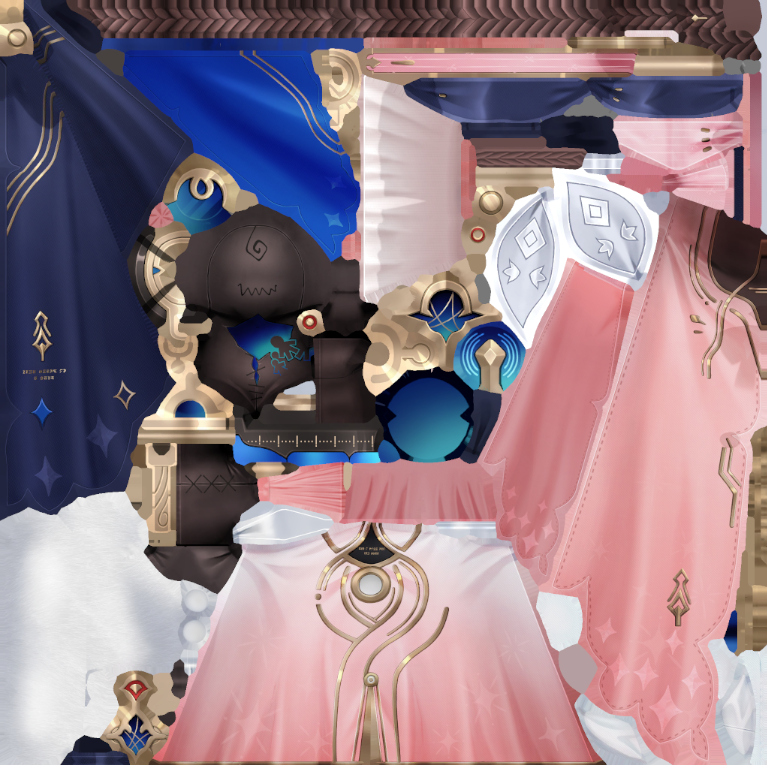
Cloth_D.rgb diffuse
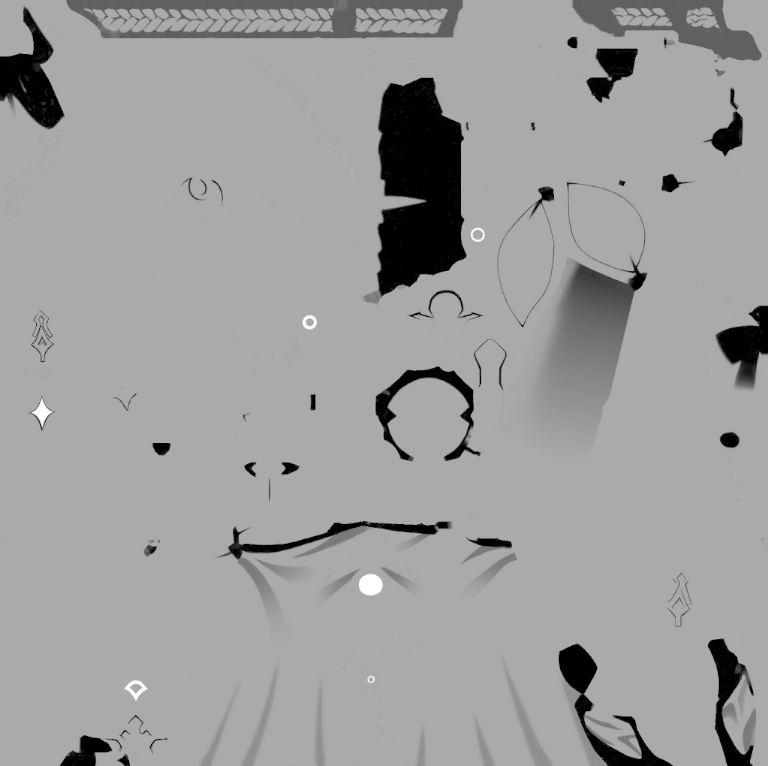
Cloth_D.a
Cloth_D.rgb是基础颜色通道,没什么特别的。
Cloth_D.a 控制阴影过渡区域宽度 Cloth_D.a 越高,regionShadowWidth 越大,后面的 ramp/shadow 过渡区域越宽,阴影边界更软、更展开;Cloth_D.a 越低,过渡越窄,阴影边界更硬。后续应该会用一个offset和一个smoothstep来控制灵活控制边界和宽度,这里只代表材质属性上应该有更宽的阴影,或更窄的阴影
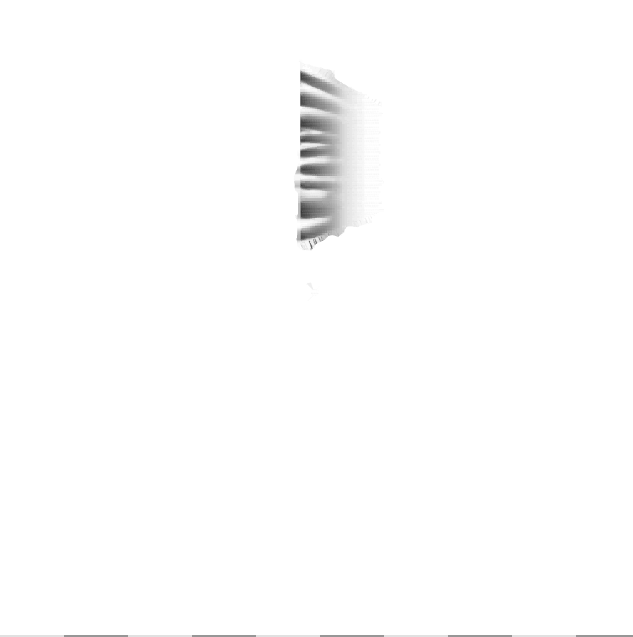
Cloth_FTM.r
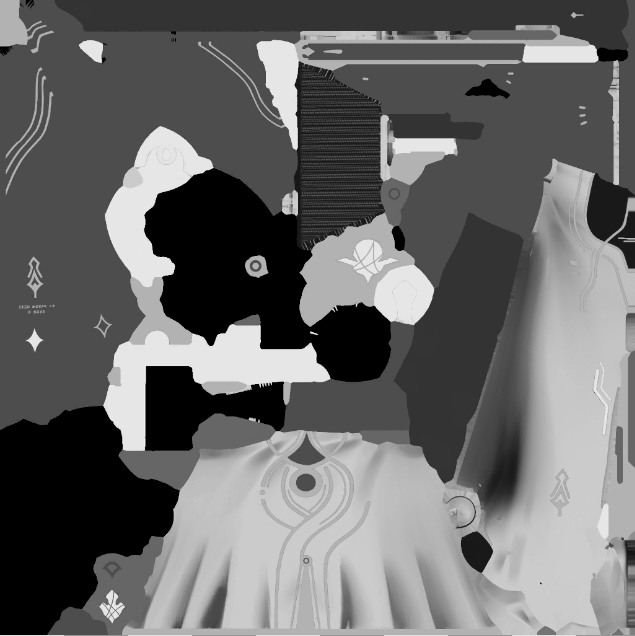
Cloth_FTM.g
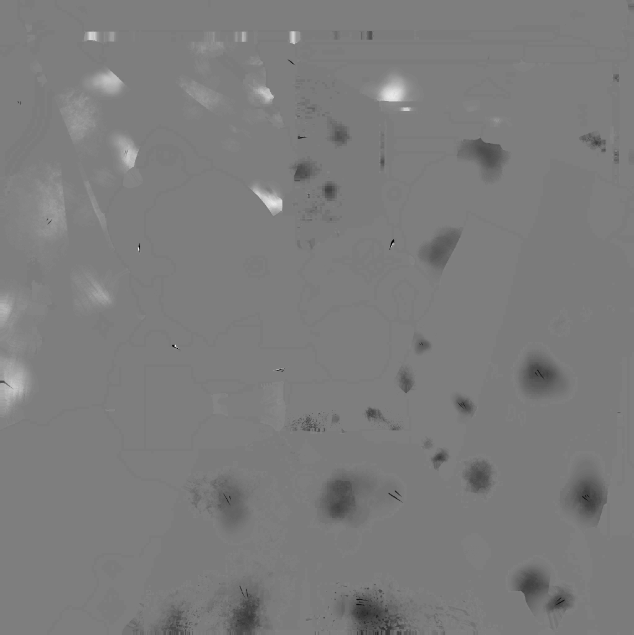
Cloth_FTM.b
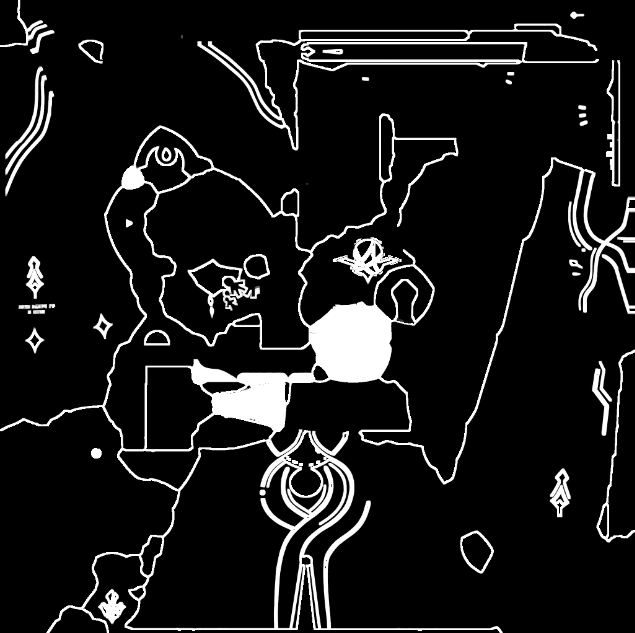
Cloth_FTM.a
FTM是type mask,4通道承载着不同的作用
- r通道:
FTM.r越高,该像素越不容易被 dither/discard 掉;值越低,越依赖高光亮度或噪声决定是否保留
ftmR = Cloth_FTM.r;

clipStrength = max(specLuminance, ftmR);
discard if (clipStrength + noise + threshold < 0);- g通道:metallic贴图,最终的metallic是region id决定的metallic + g通道采样决定
ftmG = Cloth_FTM.g;

pbrRate = regionMetallicBase + ftmG;
pbrRate = saturate(pbrRate * 1.11111);

rampMultiplier.rgb =
    1.0 + (rampColored.rgb * baseSpecTint.rgb - 1.0) * pbrRate;

specTerm.rgb =
    lobeShape
  * baseSpecTint.rgb
  * rampMultiplier.rgb;

extraSpec.rgb = max(specTerm.rgb * materialMask - 1.0, 0.0);- b通道:法线细节程度,即法线是更接近基础法线,还是更接近 Cloth_N.rg 的细节法线。选择逻辑公式:,说明高值使法线更靠近基础/顶点法线,视觉更平;低值保留更多
Cloth_N.rg的细节。当前cloth中没有启动blend,也就是默认法线全部来自Cloth_N.rg 猜测是cloth需要保留褶皱细节,所以需要细节法线 - a通道:配合region id,choose high or low
ftmB = Cloth_FTM.b;

normalBlendMask =
    saturate(cb4[114].y * 2.00803 *
    (cb4[114].x * (ftmB - 0.5) - 0.00199997));

detailNormal = decodeNormal(Cloth_N.rg);
finalNormal = lerp(detailNormal, baseNormal, normalBlendMask);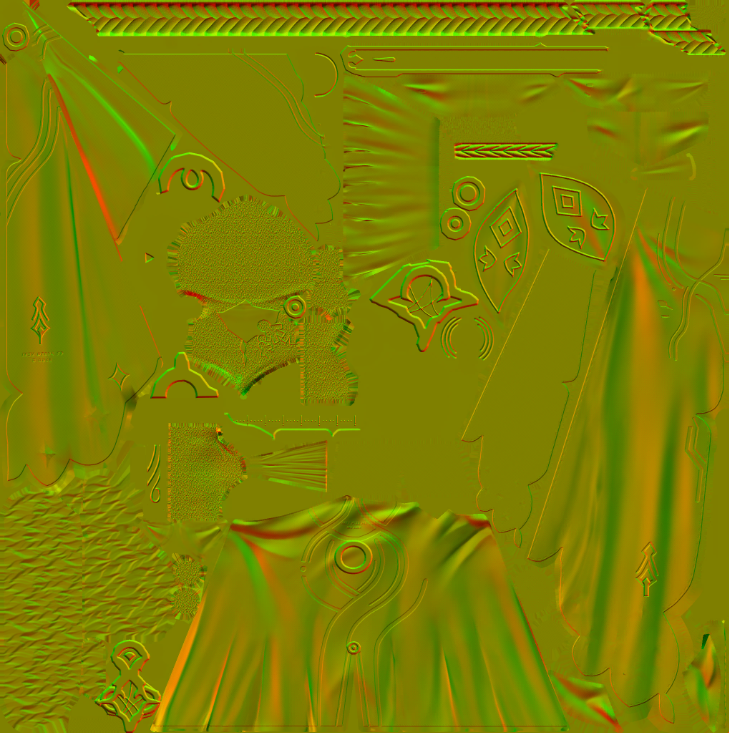
Cloth_N.rg
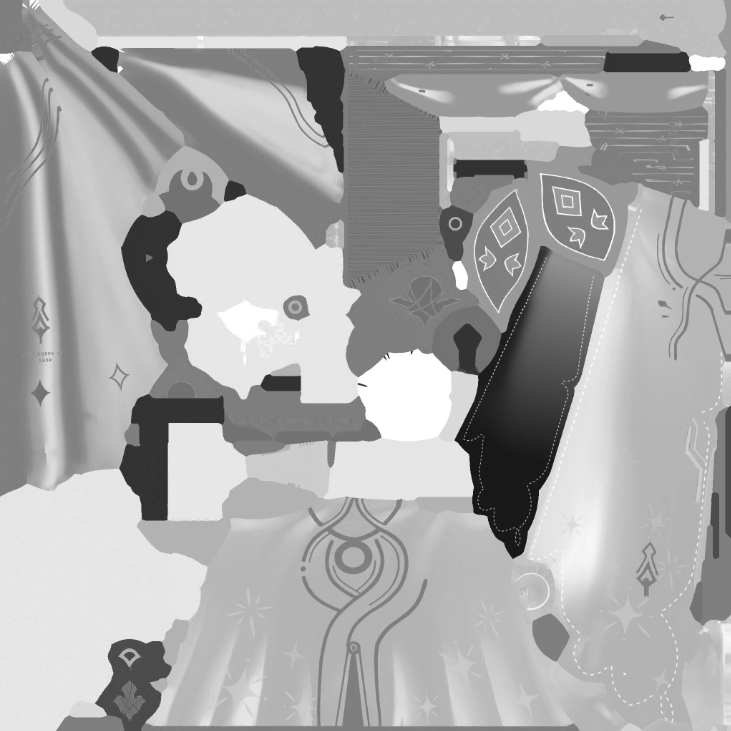
Cloth_N.a
Cloth_N.rg uv采样的细节法线
Cloth_N.a roughness,影响高光区域和flowmap采样LOD。可以看到,a通道越接近 1 说明LOD越高,也就是采样的越模糊,最终响应就越低频,代表roughness提高
response = saturate_to_0_1(
    clamp(regionRoughness + Cloth_N.a, 0.0, 0.9) / 0.9
);
rampLOD = 4.0 + 1.2 * log2(max(response, 0.001));

response = 1.0   -> LOD = 4.00
response = 0.5   -> LOD = 2.80
response = 0.25  -> LOD = 1.60
response = 0.1   -> LOD = 0.01
response = 0.001 -> LOD = -7.96,实际接近最清晰 mip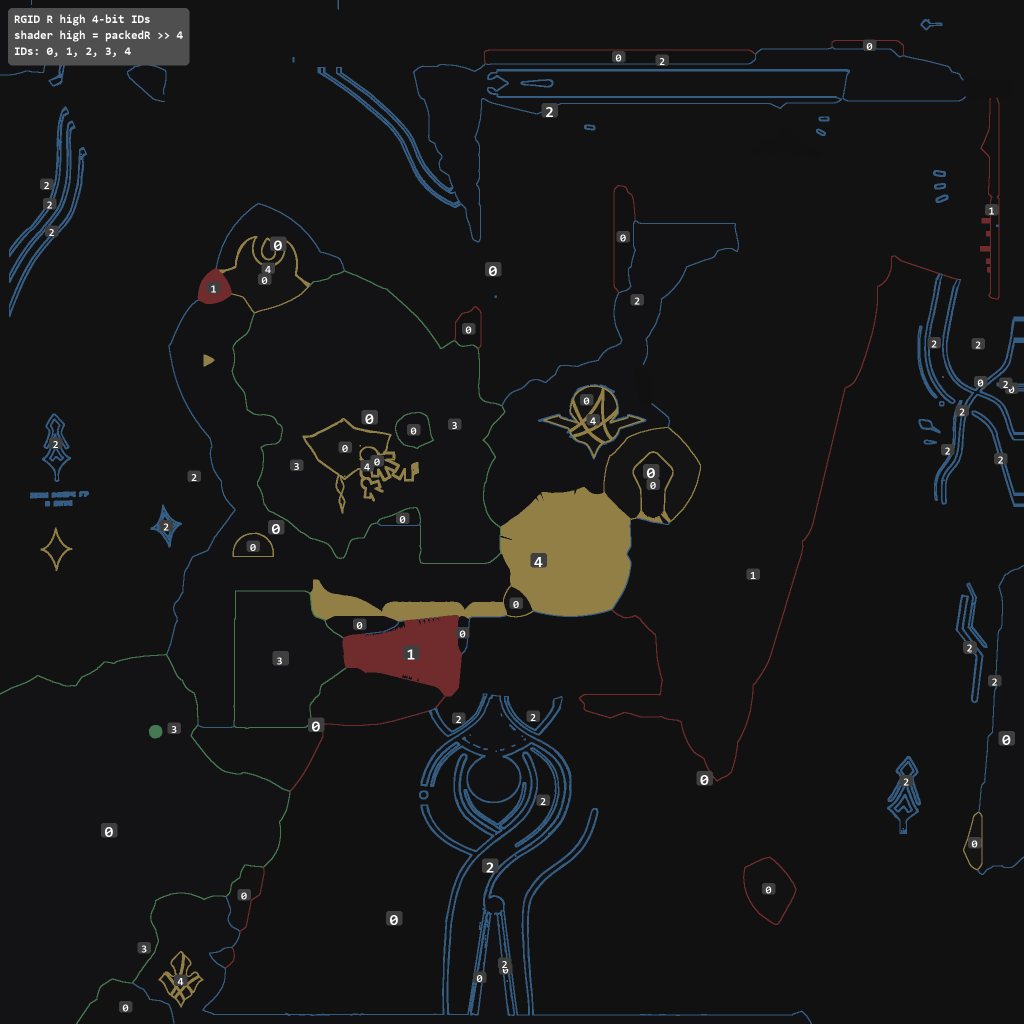
RGID_high4
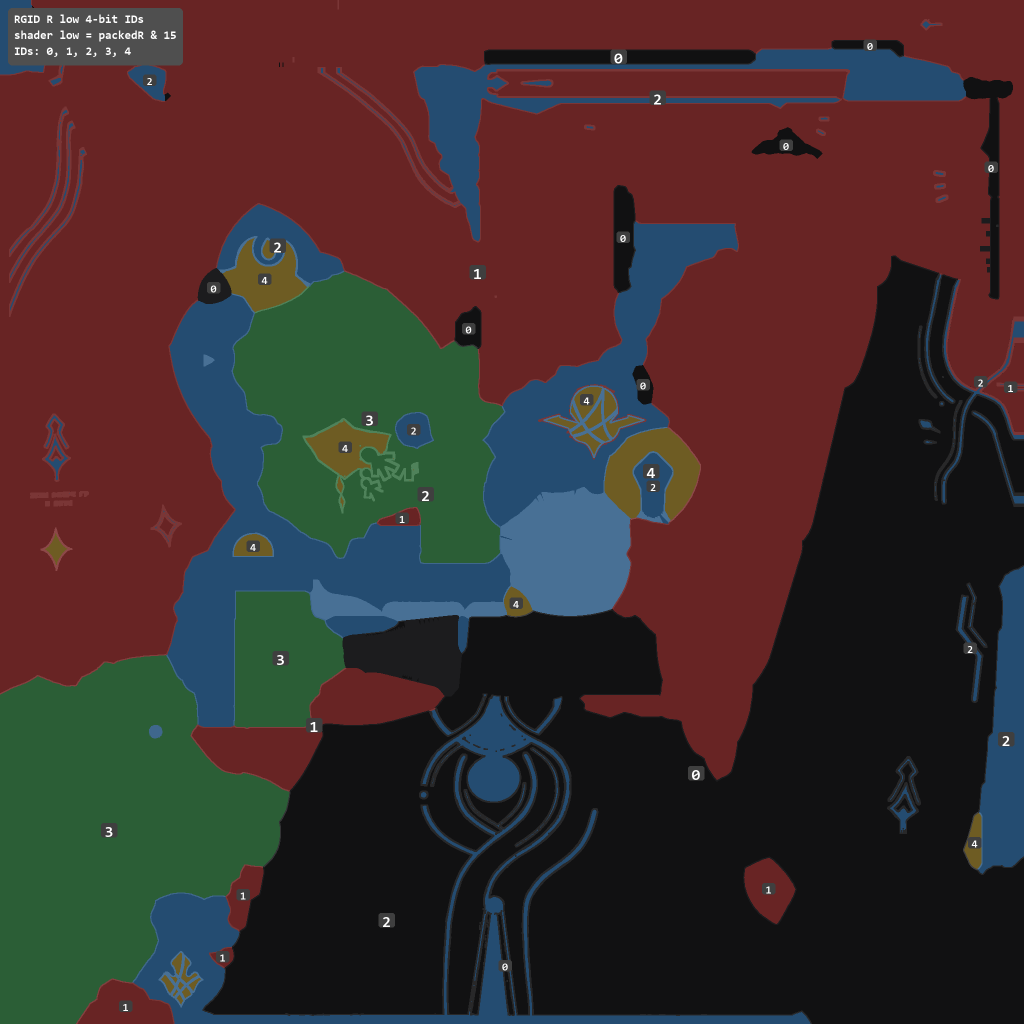
RGID_low4
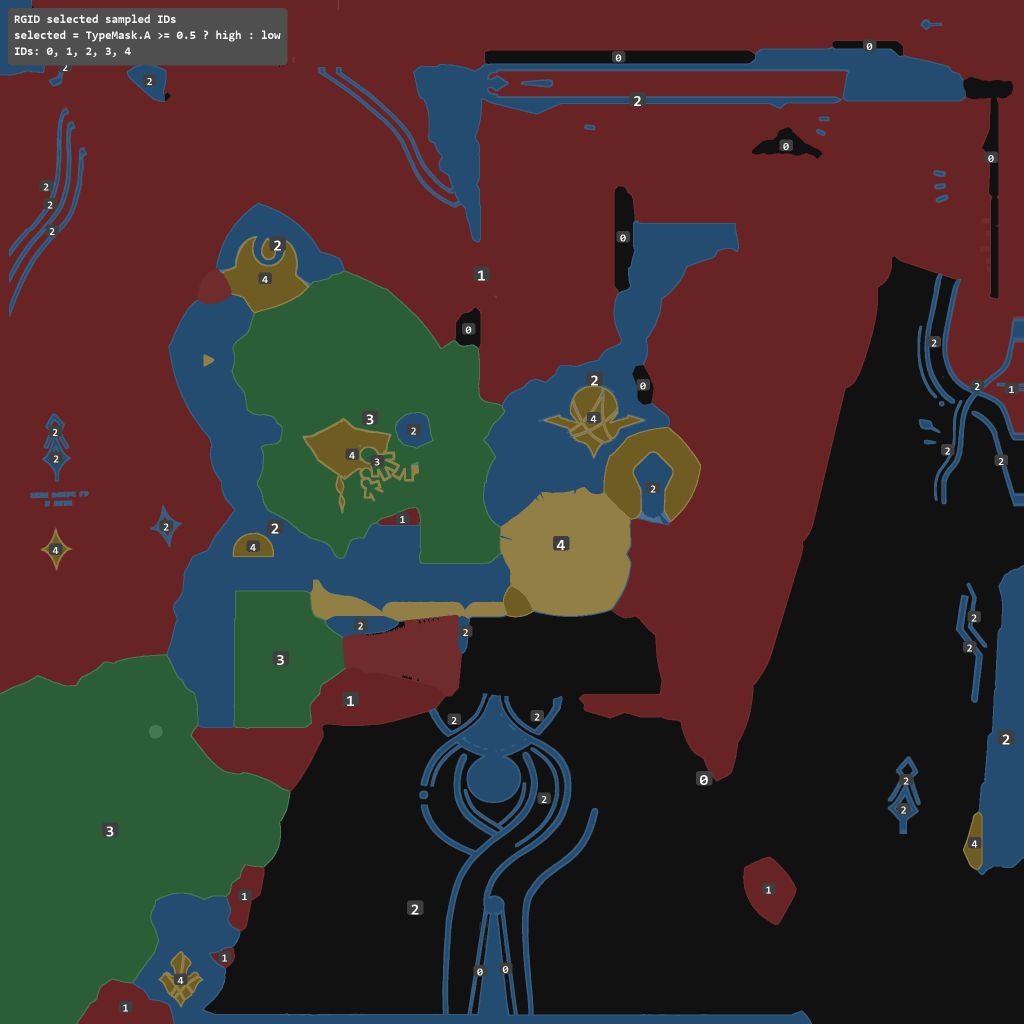
RGID_selcted
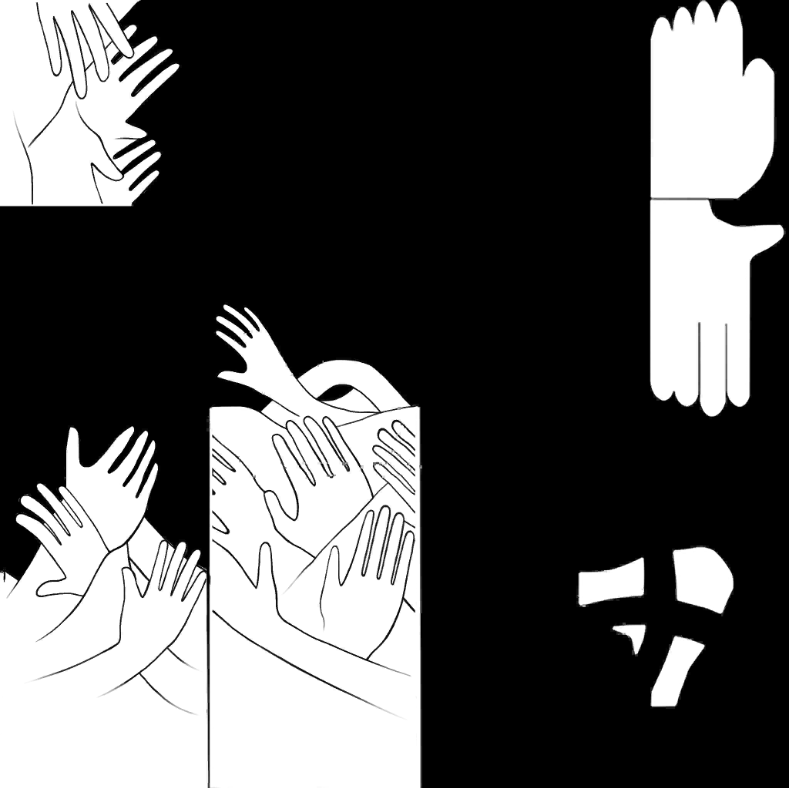
RGID贴图,与 Cloth_FTM 贴图的a通道配合使用。其本身每个像素是8bit的单通道值,前面4bits和后面4bits分别编码两组region id,即如上图所示。region id范围是 0 – 4
decode时,需要经过一个判断:当Cloth_FTM.a大于0.5,即白色区域,choose high;反之choose low。最终的region id如上右图所示。
region id绑定了一组对应的参数集合。从Cloth对应的材质实例(Material Instance)来看,像是这样:
id 0: RampID 2, RampInt 0.7, ShadowWidth 0.1, Metallic -0.2, Roughness 0.2, Spec_Int 1, Spec_Smooth 1.0, Spec_Width 0.5
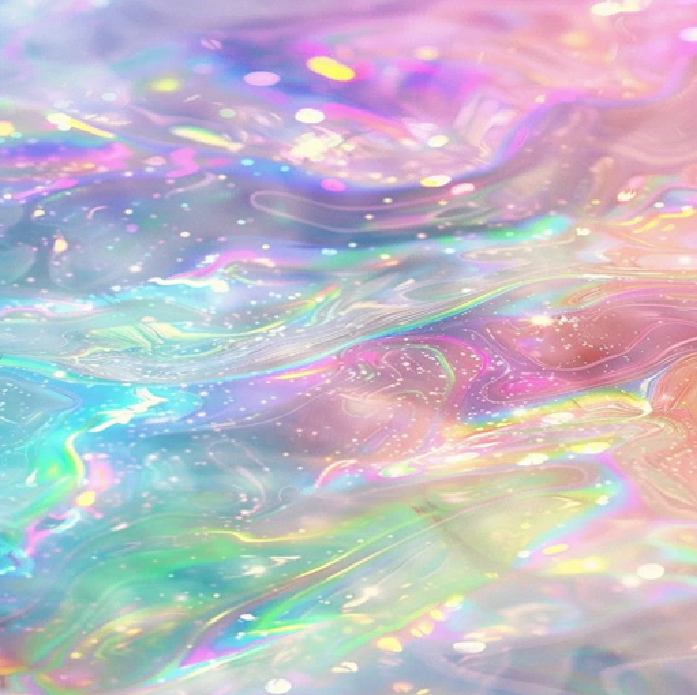
Normal_Flowmap_40001_2.rgb
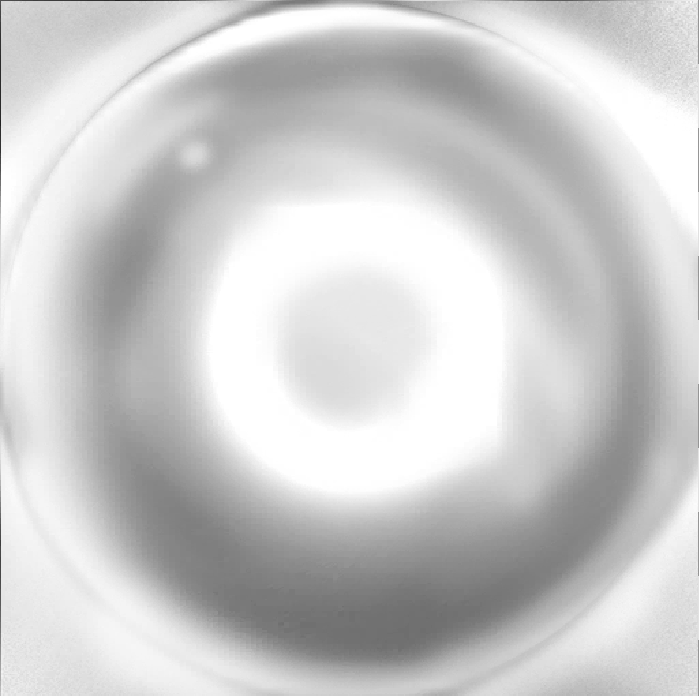
Normal_Flowmap_40001_2.a
Rim light feature
二选一:当前情况下,region id决定了regionRampMask,也就决定了是选择这里的彩色项,还是灰度项
region id 0: 使用 Normal_Flowmap_40001_2.rgb 让裙子粉色的部分更富有彩色变化
region id 1-4: 更倾向使用 Normal_Flowmap_40001_2.a 灰度
采样值来源于:法线正对镜头的程度,也就是当法线正对镜头是,取texture正中央;当法线近似于镜头垂直的时候,取texture最边缘。
两个结论:
- 裙子粉色部分(id 0)更接近漫反射颜色,rim light部分特性不明显
- 其他部分的rim light项没有颜色倾向,仅仅负责在边缘时亮的feature
id = selectedRegionID;

regionRampMask =
    (id + 0.5 >= 1.0) &&
    (id - 0.5 <= 4.0)
        ? 1.0
        : 0.0;
projectedX = normal.x * view.z - normal.z * view.x;
projectedY = normal.z * view.y - normal.y * view.z;

rampUV = float2(projectedX, projectedY) * 0.5 + 0.5;

rampSample = Normal_Flowmap_40001_2.SampleLevel(rampUV, rampLOD);

// 这里lerp由于mask是0/1,实际就是2选1
rampRGB = lerp(
    rampSample.rgb,
    rampSample.a.xxx,
    regionRampMask
);

rampColored = rampRGB * RampColor.rgb * rampIntensity;
specTerm += rampColored * regionSpecParams;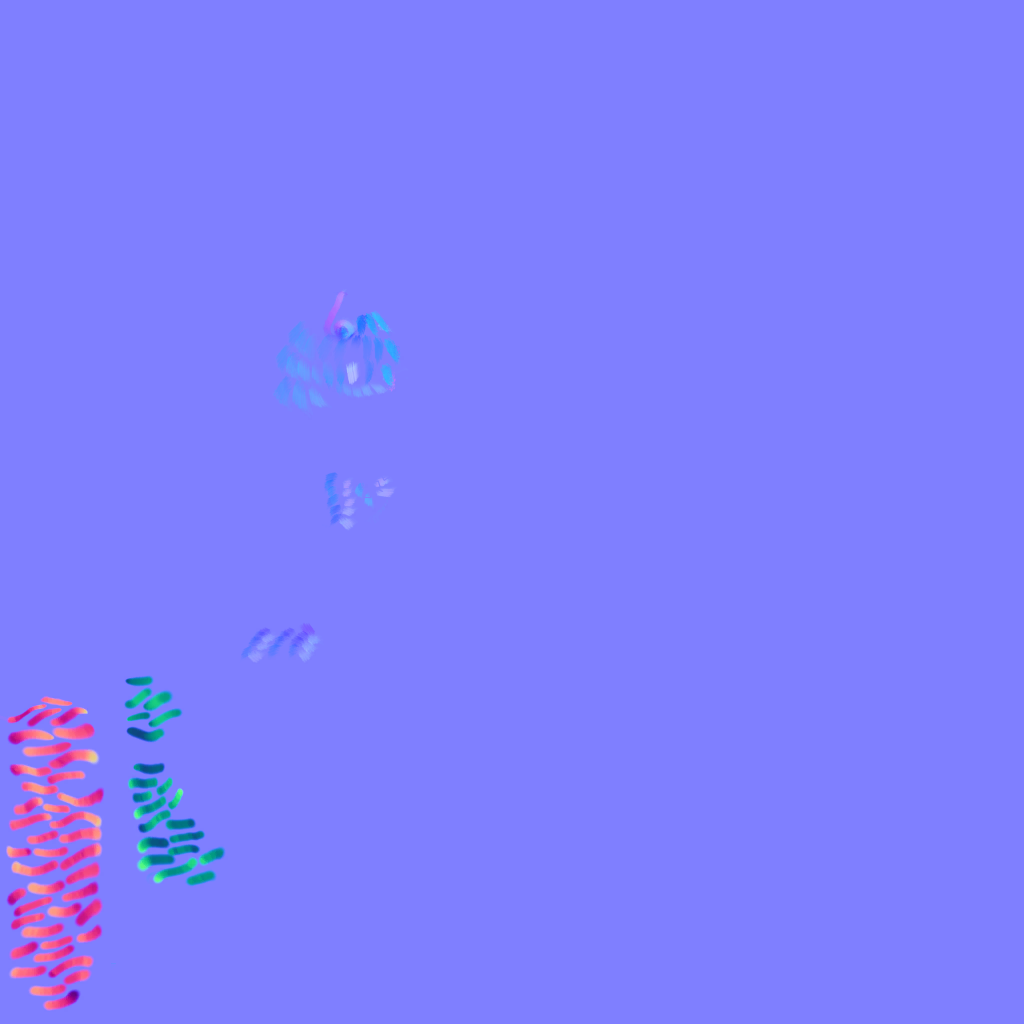
Normal_Flowmap_40001_N.rg
TLDR:Normal_Flowmap_40001_N.rg 对应Parallax map(视差贴图);当前主要在 regionID = 3 的区域中,配合视角方向与 height/SDF 搜索,算出一段 UV 偏移,用来推动后续 Cloth_D / Cloth_N / FTM / RGID 的采样,以体现出特定区域凹凸不平的纹理细节
展开:Normal_Flowmap_40001_N.rg 详细逻辑
feature:这是 Parallax Mapping(视差贴图) 的一种变体。
真实几何里,如果布料表面有凸起、绒毛、纹理沟槽,斜着看时,你看到的并不是原始 UV 那个点,而是视线穿过表面高度场后碰到的另一个点。如下图,此时采样A就不太对,应该采样B,于是需要计算出uv offset
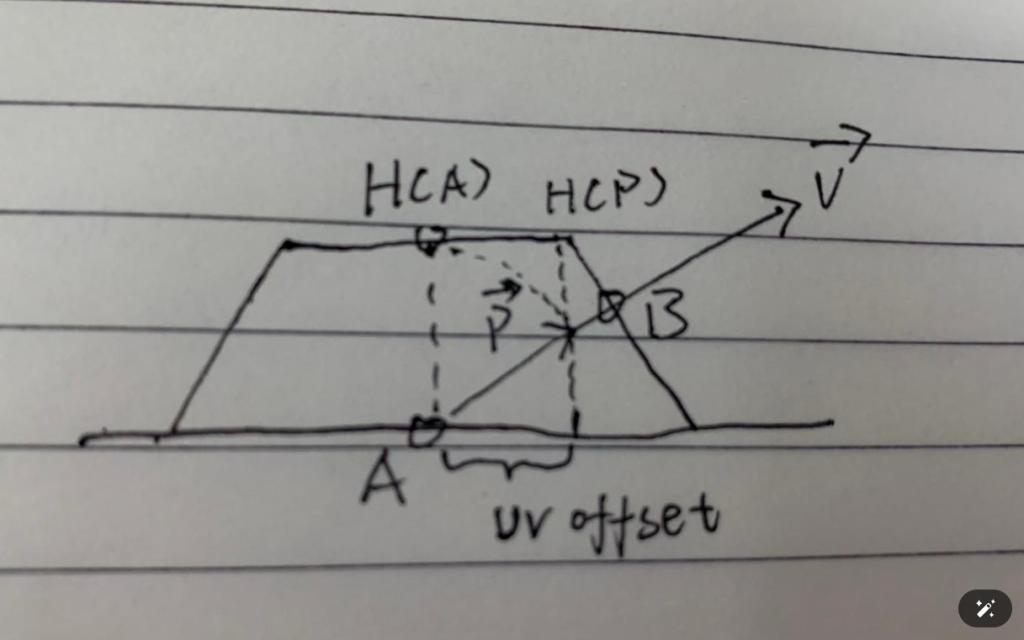
对于特定的region id,采用这个flow map 直接影响主 uv 让纹理偏移。cloth下,region id = 3 触发
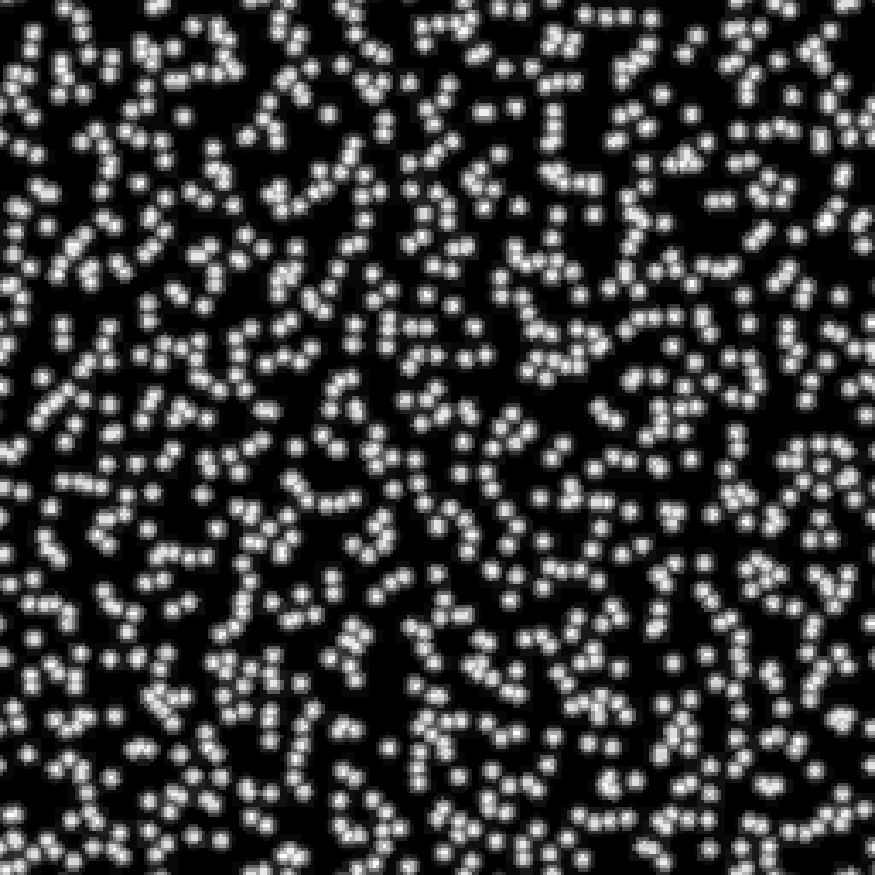
沿视角方向做多步 raymarch,每一步用 flowmap.rg 给这个步进位置一个局部方向扰动,再结合高度/遮罩决定最终 UV 偏移。这个高度实际是 T_Sparkle_SDF 的 r 通道,为了模拟布料,大概是这样的:
flowRegionMask = (regionID == 3) ? 1.0 : 0.0;

// tangent space view slope,视角越斜,UV 偏移越大
viewOffset.x = -dot(viewDir, tangent)   / dot(viewDir, normal);
viewOffset.y = -dot(viewDir, bitangent) / dot(viewDir, normal);

parallaxStrength = 0.005333 * flowRegionMask;

// 先把起点从 baseUV 往视角反方向推一点
uv0 = baseUV - viewOffset * parallaxStrength;

if (flowRegionMask == 1)
{
    float uvScale = 30.0;
    float stepCount = 8.0;
    float layerStep = 1.0 / stepCount;

    // 实际循环次数是 stepCount + 2 = 10 步
    int loopCount = 10;

    float2 rayStepUV = viewOffset * 0.005333 / stepCount;

    // 注意:height/SDF 采样用的是 30 倍 tiled UV
    float2 scaledBaseUV = uv0 * uvScale;

    float currentLayer = 1.0;
    float prevLayer = 1.0;
    float prevHeight = 1.0;

    float2 prevOffsetScaled = 0;
    float2 finalOffsetScaled = 0;

    // shader 里还有一个 facing mask,大致是视角/法线相关的 smoothstep
    // 不朝向合适方向时,height 会被压低
    float heightMask = smoothstep01(saturate(NoVTerm)) * flowRegionMask;

    for (int i = 0; i < 10; i++)
    {
        // flowmap 采样:沿 viewOffset 方向往前走
        float2 rayUV = uv0 + rayStepUV * (i + 1);

        float2 flowVec =
            T_Normal_Flowmap_40001_N.SampleGrad(sampler, rayUV, ddx, ddy).rg * 2.0 - 1.0;

        // 这里 0.08 / 8 = 0.01
        float2 flowOffsetScaled = flowVec * 0.01;

        // height / SDF 采样:不是 rayUV,而是 scaledBaseUV + 上一步 offset
        float2 heightUV = scaledBaseUV + prevOffsetScaled;

        float height =
            T_Sparkle_SDF.SampleGrad(sampler, heightUV, ddx, ddy).r
          * heightMask;

        // 核心判断:
        // currentLayer 从 1.0 开始,每步减 1/8
        // height 是当前 SDF/height 纹理给出的高度
        // 如果 currentLayer < height,说明 ray 已经进入/穿过 heightfield
        bool hit = currentLayer < height;

        if (hit)
        {
            float hitT =
                (height - currentLayer)
              / ((prevLayer - currentLayer) - prevHeight + height);

            // 命中后在上一层和当前层之间插值,减少 8 步 raymarch 的阶梯感
            finalOffsetScaled =
                prevOffsetScaled
              - hitT * (rayStepUV * uvScale - flowOffsetScaled);

            break;
        }
        else
        {
            // 没命中就继续推进。
            // 注意它不是简单 accumulated += flowOffset;
            // shader 会把 ray 步进 offset 和 flowmap offset 组合成新的候选 offset。
            finalOffsetScaled =
                rayStepUV * uvScale * (i + 1)
              + flowOffsetScaled * (10.0 - i);

            prevOffsetScaled = finalOffsetScaled;
            prevLayer = currentLayer;
            prevHeight = height;

            currentLayer -= layerStep;
        }
    }

    finalUV = uv0 + finalOffsetScaled / uvScale;
}
else
{
    finalUV = baseUV;
}
T_Wenli_230046
T_Wenli_230046 是一层会随物体/屏幕坐标滚动的 second texture,当前参数让它 横向重复 4 次、纵向重复 2 次,并按时间缓慢滚动,然后染成偏蓝紫的颜色。以体现纹理在模型表面流动的效果。
展开:T_Wenli_230046 second texture 详细逻辑
1. 先构造 object-screen UV
object-screen UV 理解:屏幕空间内,当前pixel与center的距离
// 当前像素/当前片元的某个 view/object relative 位置
float3 p = pixelRelativePos;        // 对应 _353,_354,_355

// 物体/角色基准点,来自 cbuffer
float3 center = objectCenterOrPivot; // 对应 cb2[5].xyz / _1606,_1607,_1608

// 把当前点投影到屏幕
float2 screenP;
screenP.x = ProjectX(p);
screenP.y = -ProjectY(p);

// 把物体基准点投影到屏幕
float2 screenCenter;
screenCenter.x = ProjectX(center);
screenCenter.y = -ProjectY(center);

// 两者相减,得到 object screen uv
float2 objectScreenUV = screenP - screenCenter;

// 然后 shader 会按距离/深度做一次缩放:
depthScale = abs(ProjectDepth(center + cameraPos) * 0.01);
objectScreenUV *= depthScale;
然后带入 Second_ScreenObjectUV = float4(0,0,1,0.7)
objectScreenUV =
    (Project(pixelPos) - Project(objectCenter))
  * depthScale
  * float2(1.0, 0.7)
  + 0.5;
2. 再带入 Second_UV.xy = (4, 2)(基础缩放) 和 Second_UV.zw (滚动速度)
secondUV = objectScreenUV * float2(4.0, 2.0)
+ timePhase * float2(0.03, 0.02);
3. 采样 T_Wenli_230046
secondSample = T_Wenli_230046.SampleBias(secondUV).rgb;当前 second 处理参数里 power / blend 基本不会改变采样颜色:
power = 1.0;
intensityA = 1.0;
intensityB = 1.0;
blend = 0.0;

secondRGB ≈ secondSample.rgb;
4. 带入 Second_ColorTint = (1.2, 1.9, 4.0)
secondTinted.rgb = secondRGB * float3(1.2, 1.9, 4.0);直观理解:蓝通道被放大最多,所以这层 T_Wenli_230046 最终偏蓝/青紫,像一层额外发光纹理或流动纹理。
最后它还会再乘 rim/view mask、其它 second mask,然后加到最终颜色里。简化链路就是:
objectScreenUV
 -> * float2(4.0, 1.4)
 -> + time * float2(0.03, 0.02)
 -> sample T_Wenli_230046.rgb
 -> * float3(1.2, 1.9, 4.0)
 -> mask/rim 调制
 -> finalColor += secondContribution
这组参数让 T_Wenli_230046 作为一层随时间滚动的 second 纹理覆盖在布料上,横向密度更高,颜色被强烈推向蓝色,用来做额外纹理/光纹效果。
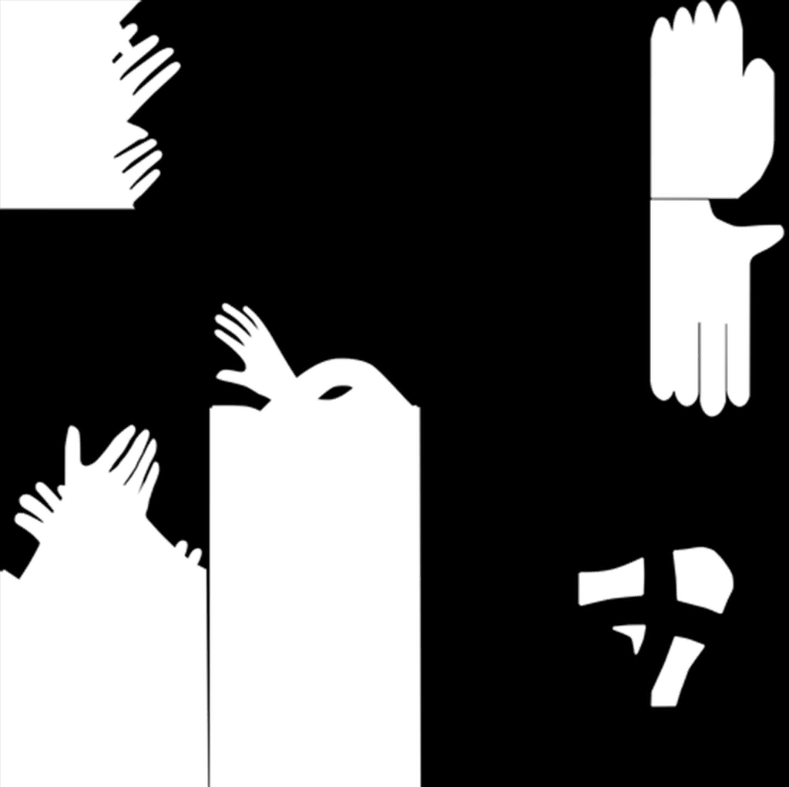
Cloth_FX.r
Cloth_FX.g
Cloth_FX.b
Cloth_FX.a
Cloth_FX 是 effect mask 打包贴图。
在 event478 cloth shader 中,只有 Cloth_FX.g 被使用。
Cloth_FX.g:
控制一条 rim light 的mask。
shader 对它做 pow(fxG, cb4[154].z),再乘到 effect/rim 颜色上。
值为1,该区域越容易出现额外亮边、发光/特效色响应;
值为0,屏蔽这个effect。
3. RT1.b – Shadow
TLDR:RT1.b 是 shadow。它的来源链路是:RGID/FTM.a 选 region → Cloth_D.a 计算 solid shadow mask 代表材质层级的明暗细节 → NoL + 基于viewDir 的 bias + 基于材质的 shadowWidth,计算 rt1RampCoord,即写入 GBuffer 前的场景层级明暗标量 → 两项乘积,放缩到 0.5 – 1的 RT1.b。
展开:RT1.b basepass 来源链路
阶段 1:region id 解码,用来选择 ramp 参数。低/高 4bit 来自 Texture2D0 / RGID 的 R 通道,high/low 的选择来自 Texture2D1 / Cloth_FTM.a 具体的 id 分布可以参考 MSM_ToonCommon RGID 贴图的拆解。regionID 范围 0 – 4
// RGID: Texture2D0.r, baseUV = _236/_237
float rgid = Texture2D0.SampleLevel(s0, baseUV, lod).r; // _2418.r
int packed = (int)(rgid * 255.5);                       // _2421
float low4  = float(packed & 15);                       // _2424
float high4 = float(packed >> 4);                       // _2423

// FTM.a: Texture2D1.a, final/parallax UV = _2575/_2576
float chooseHigh = Texture2D1.SampleLevel(s1, finalUV, lod).a < 0.5 ? 0.0 : 1.0; // _2815
float regionID = low4 + chooseHigh * (high4 - low4);                            // _2819
阶段 2:从 Cloth_D.a 通道得到 solid shadow mask。uv 是前面 parallax/flow 累积后的最终采样 UV。shader 用它采样 Cloth_D.a,再根据阴影宽度和范围进行美术效果裁剪,得到 solidShadowMask。这里结果是:
输入范围 0.035 -> 0.315 被线性映射到 solidShadowMask 0 -> 1
// 参数语义:
// alphaInputMax:输入 a 的有效上限。也就是只考虑0 - 0.5部分的变化,放缩上界
// SolidShadowProcess:与alphaInputMax乘积,也就是只考虑 0 - 0.35的变化,放缩上界
// SolidShadowWidth:值为 0.8,放缩两边,从0 - 0.35 到 0.035 -> 0.315

// 当前数值代入:
// alphaInputMax = 0.5, SolidShadowProcess = 0.7, SolidShadowWidth = 0.8
// low = 0.1, high = 0.9
// Cloth_D.a 输入范围 0.035 -> 0.315 被线性映射到 solidShadowMask 0 -> 1。
// 等效式:solidShadowMask = saturate((Cloth_D.a - 0.035) / 0.28)

float alphaOrHeight = Texture2D5.SampleBias(s5, finalUV, mipBias).a; // _2580

float alphaInputMax = cb4[1904].y /* 0.5 */;
float alphaClamp0 = min(max(alphaOrHeight, 0.0), alphaInputMax);            // _2583,_2584
float alphaNorm0  = alphaClamp0 / alphaInputMax;                            // _2585

float SolidShadowProcess = cb4[1984].z /* 0.7, MI: SolidShadowProcess */;
float alphaNorm1 = min(alphaNorm0, SolidShadowProcess) / SolidShadowProcess; // _2588,_2590

float SolidShadowWidth = cb4[2000].w /* 0.8, MI: SolidShadowWidth */;
float solidShadowLow  = cb4[2000].y /* 0.1 = (1 - SolidShadowWidth) * 0.5 */;
float solidShadowHigh = cb4[2000].x /* 0.9 = (1 + SolidShadowWidth) * 0.5 */;
float alphaWindow = min(max(alphaNorm1, solidShadowLow), solidShadowHigh);   // _2594,_2595

float solidShadowMask =
    (alphaWindow - solidShadowLow) / SolidShadowWidth;                       // _2598
阶段 3:lightDir 及混合。shadow 范围的计算需要NdotL,这里的L需要可能的混合,当然在cloth shader里面,这几部分混合都被关掉了,lightDir直接就是场景主光方向。
// 当前最终等效:
float rampLight ≈ (-0.5792279, -0.4055798, 0.70710677)
// 即:RT1.b 的 ramp shadow 方向基本使用一个稳定的 draw/scene 级方向,而不是逐像素 normal map 方向。


// 后面不是再重建 normal,而是把 rampLight 的屏幕 XY 朝向与 viewDir.xy 比较,生成额外 ramp 可见性修正。
// 当前 cb4[2688].z = 0,所以 visibilityLoss = 0,rampVisibility 恒为 1。
float facing2D = dot(normalize(rampLight.xy), normalize(float2(_361, _362))); // _2775
float facingClamped = min(max(facing2D, -1.0), -0.25);                 // _2776,_2777
float facing01 = (facingClamped + 1.0) * 1.33333;                      // _2778,_2779

float oneMinusWidth = 1.0 - solidShadowMask;                           // _2780
float visibilityLoss = (oneMinusWidth - facing01 * facing01 * oneMinusWidth) * cb4[2688].z /* 0 */; // _2781.._2786
float rampVisibility = 1.0 - visibilityLoss;                           // _2787
阶段 4:region 选择 shadow 参数,并计算 shadow 坐标。regionID 会在 0/1/2/3/4_ShadowWidth 中选择一项;这里ShadowWidthUseID为true,用这个选项,否则用全局项。
然后用 NoL、region shadow width 和 view bias 归一化出 shadowWindow01。它不是采样 ramp 贴图的 U,而是 0-1 的明暗窗口坐标;后续先做 smoothstep,再乘 solidShadowMask,得到共享中间量 materialShadowWindow。
materialShadowWindow 也是 RT3.rgb secondary 强度混合里使用的同类量。区别是:RT1.b 把它编码到 0.5 - 1 写入 GBuffer;RT3.rgb 使用未编码的 0 - 1 值作为 ramp intensity 的混合因子。
// 命名统一:
// shadowWindow01:NoL/width/view bias 归一化后的 0-1 阴影窗口坐标。
// shadowWindowSmooth:对 shadowWindow01 做 smoothstep 后的平滑窗口。
// materialShadowWindow:shadowWindowSmooth * solidShadowMask,是 RT1.b 与 RT3.rgb 共用的核心阴影窗口概念。
//
// 结论:这和 RT3.rgb 里的 _1222 是同一个公式模板,不是两个不同 feature。
// 差别只在于输入变量来自不同代码段,RT1.b 最后把结果编码到 0.5-1。
//
// 共享等效函数:
// materialShadowWindow = ComputeMaterialShadowWindow(
//     halfNoL, shadowWidth, viewRampOffset, shadowProcess, solidShadowMask);

// ShadowWidth:width 越小,shadowWindow01 对 NdotL 越敏感,明暗边界越硬;width 越大,过渡越软。
// ShadowProcess:固定把 shadowWindow01 往暗部压,当前为 0.6。
// viewRampOffset:只在表面 normal 偏离视线时生效,用来按视角移动 ramp 边界。
// 当前等效:shadowWindow01 = saturate((halfNoL + rampWidth - viewRampOffset - ShadowProcess) / (2 * rampWidth))
float rampWidth =
    ((ShadowWidth * selectedRegionShadowWidth) - ShadowWidth) * ShadowWidthUseID
  + ShadowWidth;                                                        // _2845

float3 shadowNormal = normal; // normal map 采样后经 TBN 重建;当前 vertex normal 混合被关掉
float halfNoL = dot(shadowNormal, rampLight) * 0.5;                    // _2847

float viewSideWeight = 1.0 - abs(viewDir.z);                           // 正/背视接近0,侧向接近1
float lightView01 = 0.5 * (viewSideWeight * dot(rampLight, viewDir) + 1.0);
float viewSideRampOffset =
    lightView01
  * (cb4[2032].x /* 0.4, MI: SolidShadow_RampPosition */ - cb4[2032].y /* -0.1 */)
  + cb4[2032].y /* -0.1 */;                                           // _2794.._2797

float viewFacingMask = saturate(dot(shadowNormal, viewDir));
float viewRampOffset = viewSideRampOffset * (1.0 - viewFacingMask);

float shadowWindowRaw =
    (0.5 - viewRampOffset - cb4[2032].z /* 0.6, MI: ShadowProcess */ + halfNoL + rampWidth)
  / (2.0 * rampWidth);                                                // _2853
float shadowWindow01 = saturate(shadowWindowRaw);                      // _2854
float shadowWindowSmooth = shadowWindow01 * shadowWindow01 * (3.0 - 2.0 * shadowWindow01); // _2858.._2860

float materialShadowWindow = shadowWindowSmooth * solidShadowMask;     // _2860 的 0-1 未编码版本
float RT1_b = (0.5 + materialShadowWindow * 0.5) * rampVisibility;      // _2862
SV_Target1.z = RT1_b;
4. RT2.rgb – Ramp
TLDR:RT2.rgb 是 Ramp响应。Ramp是NPR特有的,把光照强度bake到一张特殊的贴图上的,以减少实际计算光照的计算量。ramp贴图有五行,每行对应一种材质从最暗到最亮的变化;rampV来自于MI的预先定义,cloth中的rampV均取0.5(第三行);rampU来自于明暗程度,类似RT1.b,rampU也主要基于NoL,兼有viewDir的扰动,以及Cloth_D.a通道的扰动。最后取出的RGB与一个baseRGB混合一下(混合因子根据region id有所不同,也定义在MI中),然后sqrt后存储。
这个值最后在lighting合成时的利用方式:0.5*ramp*diffuse,直接加到mainRGB上;shadow控制一个(0.3,0.4,0.5)*diffuse + 0.5*ramp*diffuse 到 diffuse 的插值。当处于暗部,可以想到ramp会很低,同时插值会很接近0,即接近下界,因此光照变暗。
展开:RT2.rgb basepass 来源链路
阶段 1:得到 flow/parallax 后的采样 UV 与 region。uv 是前面 parallax/flow 计算后的 UV;shader 用这个 UV 采样 FTM.a,并结合之前从 Texture2D0 / RGID 解出的 high/low 4bit,得到 region id
float2 flowUV = float2(_2060, _2061); // base UV + accumulated parallax/flow offset

float ftmB = Texture2D1.SampleLevel(s1, flowUV, lod).b; // _2063
float ftmA = Texture2D1.SampleLevel(s1, flowUV, lod).a; // _2065, high/low selector

float regionID = low4 + step(0.5, ftmA) * (high4 - low4); // _2071
阶段 2:region/FTM.b 生成一组基础响应色。二者合并成 _2097,用于在两组 cbuffer 颜色之间插值,输出 _2112/_2113/_2114。
// 参数语义:
// regionWindowMask:按 regionID 做一个窗口;当前阈值为 5,只会命中 regionID 等于 5 的区域,因此实际为 0。
// ftmResponse:由 FTM.b 生成的额外材质响应;当前 cb4[1824].x = 0,使 FTM.b 项实际关闭。
// materialBlend:在 colorB 与 colorA 之间插值。0 使用 colorB,1 使用 colorA。当前显然为 0
//
// 等效式:baseResponseRGB = colorB = SubsurfaceColor.rgb = float3(0.36, 0.35, 0.5)

float upper = regionID + 0.5; // _2076
float lower = regionID - 0.5; // _2079

float regionWindowMask =
    (upper >= cb4[1744].x && cb4[1728].w >= lower) ? 1.0 : 0.0; // _2077.._2082

float ftmResponse =
    saturate(cb4[1824].y * 2.00803 * (cb4[1824].x * (ftmB - 0.5) - 0.00199997)); // _2091

float regionOrFtm = max(regionWindowMask, ftmResponse);                // _2092
float materialBlend = cb4[1856].y * (1.0 - regionOrFtm) + regionOrFtm; // _2097

float3 colorA = cb4[1584].rgb; // _2099.._2101
float3 colorB = cb4[1600].rgb /* MI: SubsurfaceColor.rgb */; // _2103.._2105
float3 baseResponseRGB = lerp(colorB, colorA, materialBlend); // _2112.._2114
阶段 3:构造 ramp 图的采样坐标。这里的 rampU 是采样 ramp 贴图的 U;rampV 则是 5 行选 1 行,根据 ramp id 选择 ramp 横向带。注意 region id 和 ramp id 不是一一对应的:region id 用来划分区域,ramp id 对应某区域的材质属性。比如 cloth 材质所有 region 的 ramp id 都是 2;down 中全是 1;up 有 0 有 2。
// 参数语义:
// _2310:由 dot(rampNormal, rampLight)、ShadowProcess、viewRampOffset 算出的 rampU 上端候选值,范围 0-1。
// cb4[2640].w = SolidShadow_RampPosition = 0.4:rampU 的端点上限;
// _2314 = min(_2310, 0.4):也就是 rampU 的低端端点。
// 这里与 RT1.b 的 solid shadow mask 使用同一组 alpha remap 参数。
// alphaInputMax/SolidShadowProcess/SolidShadowWidth 共同决定 Texture2D5.a 的哪一段会被映射到 0-1。
// alphaRemap 越大,rampU 越靠近 _2310;alphaRemap 越小,rampU 越靠近 _2314。
//
// 当前数值代入:alphaRemap = saturate((Cloth_D.a - 0.035) / 0.28)
// Cloth_D.a 0.035 -> 0, 0.175 -> 0.5, 0.315 -> 1
// 等效式:rampU = lerp(_2314, _2310, alphaRemap)

// 先计算 _2310,也就是 rampU 的上端候选值。
// 注意这里没有除以 ShadowWidth;它是给 ramp 图采样用的 U,不是 RT1.b 的 rt1RampCoord。
float3 N = float3(_2119, _2120, _2121);
float3 L = float3(_2287, _2288, _2289);
float3 viewDir = float3(_361, _362, _363);

float halfNoL = dot(N, L) * 0.5; // _2290,_2291

float viewSideWeight = _1169; // 约等于 1 - abs(viewDir.z)
float lightView01 = (viewSideWeight * dot(L, viewDir) + 1.0) * 0.5; // _2292.._2295

// viewRampOffset 理论上是 -0.1 到 0.4,同样引入了view影响
float SolidShadow_RampPosition =  0.4;
float rampPositionMin = cb4[2032].y /* -0.1 */;
float viewSideRampOffset = lightView01 * (SolidShadow_RampPosition - rampPositionMin) + rampPositionMin; // _2299.._2301

float viewFacingMask = saturate(dot(N, viewDir)); // _2302,_2303
float viewRampOffset = viewSideRampOffset * (1.0 - viewFacingMask); // _2304,_2305

float ShadowProcess = 0.6;
float rampUHigh = saturate(halfNoL + 1.0 - ShadowProcess - viewRampOffset);

// 这个范围理论上正好是 0 - 1,因为 viewRampOffset 属于 [-0.1, 0.4]
float rampUHigh = saturate(halfNoL + 0.4 - viewRampOffset);

// 这一段计算逻辑与RT1.b完全相同
// Cloth_D.a 输入范围 0.035 -> 0.315 被线性映射到 solidShadowMask 0 -> 1。
// 等效式:solidShadowMask = saturate((Cloth_D.a - 0.035) / 0.28)

float alphaOrHeight = Texture2D5.SampleBias(s5, flowUV, mipBias).a;    // _2318
float alphaInputMax = cb4[1904].y /* 0.5,未在 MI 中找到唯一参数名 */;
float alphaClamp0 = min(max(alphaOrHeight, 0.0), alphaInputMax);        // _2321,_2322
float alphaNorm0  = alphaClamp0 / alphaInputMax;                        // _2323

float SolidShadowProcess = cb4[1984].z /* 0.7, MI: SolidShadowProcess */;
float alphaNorm1 = min(alphaNorm0, SolidShadowProcess) / SolidShadowProcess; // _2326,_2328

float SolidShadowWidth = cb4[2000].w /* 0.8, MI: SolidShadowWidth */;
float solidShadowLow  = cb4[2000].y /* 0.1 */;
float solidShadowHigh = cb4[2000].x /* 0.9 */;
float alphaWindow = min(max(alphaNorm1, solidShadowLow), solidShadowHigh); // _2332,_2333

float solidShadowMask  = (alphaWindow - solidShadowLow) / SolidShadowWidth;     // _2336
float SolidShadow_RampPosition = cb4[2640].w /* 0.4, MI: SolidShadow_RampPosition */;

float rampULow = min(max(rampUHigh, 0.0), SolidShadow_RampPosition); // _2314

// 当NoL那一项(rampUHigh)小于0.4,rampU就等于这一项;当rampUHigh大于0.4,在0.4和 rampUHigh 中间插值
// 从实际观察上来看,Cloth_D.a大部分的值大于0.315,即solidShadowMask大部分等于1,即rampU = rampUHigh
// 仅在某些特殊的地方,存在小于0.315,此时表现出的效果是此区域内的局部变暗,纯黑的部分定死上限取0.4
// 猜测是为了保证某一块区域的光照上限,比如cloth的材质部分不宜过亮
float rampU = rampULow + solidShadowMask * (rampUHigh - rampULow);            // _2337.._2339

// V: regionID -> one-hot -> ramp row
float r0 = max(regionID == 0.0 ? 1.0 : 0.0, ftmResponse);              // _2358
float r1 = min(regionID == 1.0 ? 1.0 : 0.0, 1.0 - ftmResponse);        // _2359
float r2 = min(regionID == 2.0 ? 1.0 : 0.0, 1.0 - ftmResponse);        // _2360
float r3 = min(regionID == 3.0 ? 1.0 : 0.0, 1.0 - ftmResponse);        // _2361
float r4 = min(regionID == 4.0 ? 1.0 : 0.0, 1.0 - ftmResponse);        // _2362

// 参数语义:
// RampID 决定 ramp 图的 V 行。每增加 1,rampV 增加 0.2,相当于切到 ramp 图的另一条横向带。
// 当前数值代入:0/1/2/3/4_RampID 全部为 2
// 等效式:rampV = 2 * 0.2 + 0.1 = 0.5
// 所以当前 cloth 的 region 0-4 在这一步不切换 ramp 行,都采样 V=0.5 这一行。
float RampID0 = cb4[2656].x /* MI: 0_RampID = 2 */;
float RampID1 = cb4[2656].y /* MI: 1_RampID = 2 */;
float RampID2 = cb4[2656].z /* MI: 2_RampID = 2 */;
float RampID3 = cb4[2656].w /* MI: 3_RampID = 2 */;
float RampID4 = cb4[2672].x /* MI: 4_RampID = 2 */;

float rampV =
    (RampID0 * 0.2 + 0.1) * r0 +
    (RampID1 * 0.2 + 0.1) * r1 +
    (RampID2 * 0.2 + 0.1) * r2 +
    (RampID3 * 0.2 + 0.1) * r3 +
    (RampID4 * 0.2 + 0.1) * r4;                                      // _2367.._2375
阶段 4:采样 Ramp 图,并混合回基础响应色。Texture2D10.rgb 是这条链路的主要彩色采样。shader 又用 region 权重和全局 gate 算出 _2394,把 baseResponseRGB 往 rampRGB 拉近。
// 参数语义:
// baseResponseRGB = colorB = SubsurfaceColor.rgb = float3(0.36, 0.35, 0.5)
// RampInt 控制 baseResponseRGB 和 rampRGB 的插值。
// RampInt越高,最终就越接近 rampRGB,反之就是越 base
// globalGate 是全局开关;当前 cbuffer3[16].w = 3,所以 globalGate = 1。
//
// 当前数值代入:region0=0.7, region1=0.5, region2=0.5, region3=0.1, region4=0.5
// 等效式:mixedRGB = lerp(baseResponseRGB, rampRGB, selectedRampInt)
// 直观效果:region3 最弱,只向 rampRGB 靠近 10%;region0 最强,靠近 70%。
float3 rampRGB = Texture2D10.SampleBias(s10, float2(rampU, rampV), mipBias).rgb; // _2377.._2379

float RampInt0 = cb4[1648].x /* MI: 0_RampInt = 0.7 */;
float RampInt1 = cb4[1648].y /* MI: 1_RampInt = 0.5 */;
float RampInt2 = cb4[1648].z /* MI: 2_RampInt = 0.5 */;
float RampInt3 = cb4[1648].w /* MI: 3_RampInt = 0.1 */;
float RampInt4 = cb4[2688].y /* MI: 4_RampInt = 0.5 */;

float rampStrength =
    RampInt0 * r0 + RampInt1 * r1 + RampInt2 * r2 + RampInt3 * r3 + RampInt4 * r4; // _2385.._2389

float globalGate = cbuffer3[16].w /* 3.0 */ < 0.05 ? 0.0 : 1.0; // _2393, 当前 globalGate = 1
float blendToRamp = globalGate * rampStrength; // _2394

float3 mixedRGB = baseResponseRGB + blendToRamp * (rampRGB - baseResponseRGB); // _2401.._2403
阶段 5:去饱和/灰度插值后写入 RT2.rgb。cb4[2496].y 控制彩色值向亮度灰度靠拢的程度。这里为0,没有这个feature,因此直接输出mixedRGB的 sqrt(saturate()) 编码。
float luma = dot(mixedRGB, float3(0.3, 0.59, 0.11)); // _2404
float desatAmount = cb4[2496].y /* 0 */;                 // _2406

float3 finalLinearRT2 = mixedRGB + desatAmount * (luma.xxx - mixedRGB); // _2413.._2415

SV_Target2.x = sqrt(saturate(finalLinearRT2.r)); // _5067
SV_Target2.y = sqrt(saturate(finalLinearRT2.g)); // _5068
SV_Target2.z = sqrt(saturate(finalLinearRT2.b)); // _5069
5. RT3.rgb – Diffuse
TLDR:RT3.rgb 是 diffuse。
展开:RT3.rgb basepass 来源链路
阶段 1:Cloth_D.rgb 采样 base diffuse。Texture2D5.SampleBias(...).rgb 是主基础色。后面的 Damage_Skin_ColorTint、Damage_Dirty_ColorTint、region window、FTM.b mask 和几组 RGB cbuffer 会尝试把它染色/压暗/恢复到白色。当前 cloth 参数下这些效果基本关闭,所以这一段等效为 baseDiffuse0 = Cloth_D.rgb。
// 参数语义:
// Cloth_D.rgb:主 albedo/base color。
// damageSkinMask:由 Cloth_FTM.b 和 cb4[1824] 生成的 skin/damage 染色强度。当前 cb4[1824].x = 0,所以恒为 0。
// regionWindowMask:只命中 regionID 约等于 5 的窗口;当前 cloth regionID 为 0-4,所以恒为 0。
// materialMaskRGB:额外 RGB 乘法 mask。当前会被 whiteBlend 拉回 1,因此不改变颜色。
// cb4[272].rgb:全局/base RGB tint,当前为 float3(1,1,1)。
//
// 当前等效:baseDiffuse0 = Cloth_D.rgb

float2 baseMaterialUV = float2(_555, _556);
float4 clothD = Texture2D5.SampleBias(s5, baseMaterialUV, mipBias); // _718, line 631
float3 clothDRGB = clothD.rgb;                                      // _719.._721

// 1. skin/damage tint mask,当前关闭
float ftmB = Texture2D1.SampleLevel(s1, baseMaterialUV, lod).b; // _590, Cloth_FTM.b
float damageMaskScale = cb4[1824].x /* 0.0 */;
float damageMaskIntensity = cb4[1824].y /* 1.0 */;
float damageSkinMask = saturate(damageMaskIntensity * 2.00803 * (damageMaskScale * (ftmB - 0.5) - 0.00199997)); // _600 = 0

float3 skinTint = cb4[256].rgb /* MI: Damage_Skin_ColorTint.rgb = float3(0.1, 0.08, 0.06) */; // _724.._726
float3 tintedD = lerp(clothDRGB, skinTint, damageSkinMask); // _733.._735, 当前 tintedD = clothDRGB

// 2. region/material window。当前只会命中 regionID=5;cloth 的 regionID 是 0-4,所以 regionWindowMask = 0。
float regionID = _632;
float regionWindowMask = ((regionID + 0.5) >= cb4[1744].x /* 5.0 */ && cb4[1728].w /* 5.0 */ >= (regionID - 0.5)) ? 1.0 : 0.0; // _661
float damageOrRegionMask = max(regionWindowMask, damageSkinMask); // _667, 当前 0

// 3. RGB 通道缩放项:在 1 和 cb4[144].rgb 之间插值。当前 cb4[144].rgb = 1,所以 channelScaleRGB = 1。
float channelScaleBlend = lerp(cb4[1856].y /* 0.0 */, 1.0, damageOrRegionMask); // _671
float3 channelScaleRGB = 1.0 + channelScaleBlend * (cb4[144].rgb /* float3(1,1,1) */ - 1.0); // _682.._684

// 4. 颜色 mask:先在两组 RGB 之间插值,再按 FTM.b/参数拉回白色。当前 whiteBlend = 1,所以 colorMaskRGB = 1。
float3 maskColorA = cb4[224].rgb /* MI: Damage_Dirty_ColorTint.rgb = float3(0.1, 0.08, 0.089) */;
float3 maskColorB = cb4[208].rgb /* float3(0.848958, 0.587674, 0.543864),未找到唯一 MI 名 */;
float3 dirtyMaskRGB = lerp(maskColorA, maskColorB, damageOrRegionMask); // _699.._701

float ftmBRemap = damageMaskScale * (ftmB - 0.5) + 0.5; // _595, 当前 0.5
float whiteBlend = saturate(1.0 - cb4[1856].z /* 1.5 */ * (1.0 - saturate(ftmBRemap * 2.0))); // _708, 当前 1
float3 colorMaskRGB = lerp(dirtyMaskRGB, float3(1,1,1), whiteBlend); // _715.._717, 当前 1

float3 materialMaskRGB = colorMaskRGB * channelScaleRGB; // _740,_743,_746, 当前 1
float3 baseTintRGB = cb4[272].rgb /* float3(1,1,1) */;
float3 baseDiffuse0 = materialMaskRGB * baseTintRGB * tintedD; // _742,_745,_748, 当前 = Cloth_D.rgb
阶段 2:根据 Cloth_D.a/region mask 对 base diffuse 做局部修正。clothD.a 生成一组以 0.5 为中心的 remap 坐标。当前 skin/damage mask _600=0,但 region0 的窗口 _651 仍可能生效,所以这一步只对 regionID=0 的区域启用。
为什么是regionID = 0:因为从Rim light feature可以看出,regionID = 0,其不承载rim light feature,而是采样了一个彩色贴图,体现颜色细节。因此这里特殊处理。阶段3也是对这里特殊处理。
// 参数语义:
// _600:skin/damage 染色 mask,当前 cb4[1824].x = 0,所以 _600 = 0。
// _651:region0 局部修正窗口,当前由 cb4[1840].x = 0、cb4[1824].w = 0 形成 regionID == 0 的 mask。
// remappedDiffuse:围绕 0.5 做 overlay-like 的明暗重映射,remapCenter 来自 Cloth_D.a 的 alpha remap 链。
//
// 当前数值代入:
// _600 = 0
// _651 = region0Mask = (regionID == 0 ? 1 : 0)
// strength = min(_651, 1 - _600) = region0Mask
//
// 等效式:baseDiffuse1 = (regionID == 0) ? remappedDiffuse : baseDiffuse0
// 所以这一段不是全局关闭,而是只对 region 0 做局部 diffuse 曲线修正。

// _831/_832/_833 是以 0.5 为中心的 remap 坐标,来源于 cb4[1904]/[1984]/[2000] 与 Cloth_D.a
float3 remapCenter = float3(_831, _832, _833);

float3 highShape = baseDiffuse0 * 2.0 * remapCenter;                         // _835,_837,_839
float3 lowShape  = 1.0 - (1.0 - baseDiffuse0) * 2.0 * (1.0 - remapCenter);   // _852,_853,_854

float3 remappedDiffuse = float3(
    remapCenter.r < 0.5 ? highShape.r : lowShape.r,
    remapCenter.g < 0.5 ? highShape.g : lowShape.g,
    remapCenter.b < 0.5 ? highShape.b : lowShape.b);                         // _870,_872,_874 as delta basis

float strength = min(_651, 1.0 - _600);                                      // _868
float3 baseDiffuse1 = baseDiffuse0 + (remappedDiffuse - baseDiffuse0) * strength; // _878,_879,_880
阶段 3:采样 roughness metallic Shadow 项,生成颜色修正。Texture2D6 / Normal_Flowmap_40001_2 在 rampUV 上采样。
// 参数语义:
// Texture2D6:Normal_Flowmap_40001_2:rim light feature 查找图。
// rampUV:法线正对镜头的程度
// projectedX = normal.x * view.z - normal.z * view.x;
// projectedY = normal.z * view.y - normal.y * view.z;
// rampUV = float2(projectedX, projectedY) * 0.5 + 0.5;
//
// metallic = _1231:由 region metallic base + Cloth_FTM.g 得到的 0-1 材质响应权重。
// materialShadowWindow = _1222:与 RT1.b 的 materialShadowWindow 是同一个公式模板。
// roughness = _1237:由 region roughness base + Cloth_N.a 得到;后面 highMask 就从它的 0.9-1.0 高段切出来。
//
// 当前数值代入:
// metallicResponseRaw = regionMetallicBase + Cloth_FTM.g。
// roughness = regionRoughnessBase + Cloth_N.a。
// solidShadowMask = saturate((Cloth_D.a - 0.035) / 0.28)。
// cb4[2176] = float4(6, 5, 1, 4),用于 rampLOD 和 rampIntensity。
// cb4[464].rgb = cb4[480].rgb = cb4[496].rgb = float3(1,1,1),颜色 tint 项当前等效为 1。
// cb4[2192].x = 1,ramp/secondary 全局强度没有关闭。
//
// 等效式:
// metallic = saturate((regionMetallicBase + Cloth_FTM.g) * 1.11111)
// 这一段与RT1.b中那部分同质
// materialShadowWindow = ComputeMaterialShadowWindow(...) = shadowWindowSmooth * solidShadowMask
// roughness = regionRoughnessBase + Cloth_N.a
// highMask = saturate((roughness - 0.9) / 0.1)
// rampMixed = (regionID == 0) ? ramp.rgb : ramp.a.xxx
// rampIntensity = lerp(lerp(1, 5, metallic), lerp(1, 4, metallic), materialShadowWindow)

// ---- 上游输入闭包 ----
float regionMetallicBase = _978; // region metallic base;当前 region0=-0.2, region1=-0.1, region2=-0.1, region3=0, region4=0
float clothFTM_g = _374;         // Texture2D1 / Cloth_FTM.g
float metallicResponseRaw = (regionMetallicBase + clothFTM_g - cb4[1968].z /* 0 */ * clothFTM_g) * cb4[1968].w /* 1 */; // _985
float metallic = saturate(metallicResponseRaw * 1.11111); // _1231

float clothD_a = _722; // Texture2D5 / Cloth_D.a
float solidShadowMask = saturate((clothD_a - 0.035) / 0.28); // _998,来自 Stage 2 的 Cloth_D.a remap
float rampNormalLight = dot(float3(_759, _760, _761), float3(_1164, _1165, _1166)); // _1209,ramp normal 与 ramp light/dir
float regionRampWidth = _1208; // region 选择后的 ramp 宽度/强度,来自 cb4[2048]/cb4[2064]
float regionRampOffset = _1182; // region 选择后的 ramp 偏移项
float viewLoss = _1181; // view/ramp 侧向项导致的扣减
float shadowWindow01 = saturate(((0.5 - regionRampOffset - viewLoss) + rampNormalLight * 0.5 + regionRampWidth) / (regionRampWidth * 2.0)); // _1217
float shadowWindowSmooth = shadowWindow01 * shadowWindow01 * (3.0 - 2.0 * shadowWindow01);
float materialShadowWindow = shadowWindowSmooth * solidShadowMask; // _1222

float regionRoughnessBase = _979; // region roughness base;当前 region0=0.2, region1=0, region2=0, region3=0, region4=0
float clothN_a = _562;            // Texture2D4 / Cloth_N.a
float roughness = (regionRoughnessBase + clothN_a - cb4[2064].z /* 0 */ * clothN_a) * cb4[2064].w /* 1 */; // _1237
float highMask = saturate((roughness - 0.9) / 0.1); // _1826.._1829,Stage 4 使用

float directionalLobeResponse = _1379; // 前面由 ramp/view/normal、roughness 与 materialShadowWindow 算出的方向性 lobe 响应

// ---- ramp lookup UV:不是 baseUV,而是方向 lookup UV ----
float3 rampLookupDir = normalize(float3(_1386, _1390, _1394)); // _1397,_1398,_1399
float3 rampLookupBasis = float3(_1412, _1415, _1418);
float2 rampUV = 0.5 + 0.5 * float2(
    rampLookupBasis.x * rampLookupDir.z - rampLookupBasis.z * rampLookupDir.x,
    rampLookupBasis.z * rampLookupDir.y - rampLookupBasis.y * rampLookupDir.z); // _1427,_1428

float rampLOD = cb4[2176].x /* 6.0 */ - 2.0 + log2(max(_1240, 0.001)) * 1.2 + mipBias; // _1436
float4 ramp = Texture2D6.SampleLevel(s6, rampUV, rampLOD); // _1437

float region1To4Mask = _1442; // min(_666, 1 - _600),当前等效为 regionID 1-4 mask
float3 rampMixed = lerp(ramp.rgb, ramp.a.xxx, region1To4Mask); // _1449.._1451

float rampIntensityLow  = lerp(NonMetallicMatCapInt /* 1 */, MetalMatCapBack /* 5 */, metallic);
float rampIntensityHigh = lerp(NonMetallicMatCapInt /* 1 */, MetalMatCapInt /* 4 */, metallic);
float rampIntensity = lerp(rampIntensityLow, rampIntensityHigh, materialShadowWindow); // _1465
float3 rampTinted = rampMixed * rampIntensity; // cb4[464].rgb 当前为 float3(1,1,1)

// ---- material lighting 修正项 ----
// metallic 并没有只出现在最终减法中:它还会进入 materialCurveColor、rampIntensity 和 rampSpecMultiplier。
// 因此下面三项合起来是材质光照修正,不应理解为单纯的 diffuse correction 或 metallic correction。
float curveBase = metallic * 0.04 + 0.04; // _1490
float3 materialCurveColor = lerp(curveBase.xxx, baseDiffuse1, metallic); // _1497.._1499

// metallic=0 -> float3(1,1,1);metallic=1 -> rampTinted * baseDiffuse1。
float3 rampSpecMultiplier = lerp(float3(1.0, 1.0, 1.0), rampTinted * materialCurveColor, metallic); // _1537.._1539

float3 directionalSpec =
    directionalLobeResponse
  * materialCurveColor
  * cb4[2192].x /* 1 */
  * cb4[496].rgb /* float3(1,1,1) */
  * rampSpecMultiplier; // _1543,_1547,_1551

float roughnessClamped = min(max(roughness, 0.0), 0.9); // _1239
float roughness01 = roughnessClamped * 1.11111; // _1240
float invRough = 1.0 - roughness01; // _1506
float viewFacing = _762;      // dot(blendedNormalOrPositionDir, viewDir),正/侧视相关响应
float rampShapeMask = _1382;   // 来自前面 ramp lookup/basis 混合的形状权重
float sideEnergy = min(invRough * invRough, exp2(((viewFacing - 1.0) * rampShapeMask + 1.0) * -9.28)) * invRough; // _1511.._1514
float curveDark = 1.04000 - ((0.0425 - roughnessClamped * 0.0305556) + sideEnergy) * 1.04000; // _1517
float curveLift = (roughnessClamped * 0.0244444 - 0.04000) + ((0.0425 - roughnessClamped * 0.0305556) + sideEnergy) * 1.04000; // _1518
float liftMask = saturate(materialCurveColor.g * 50.0); // _1520
float3 detailCurve = curveDark * materialCurveColor + curveLift * liftMask; // _1525.._1527
float3 rampSpec =
    cb4[480].rgb /* float3(1,1,1) */
  * cb4[2192].x /* 1 */
  * rampTinted
  * detailCurve; // _1554,_1557,_1560

// 金属度增大时从主体 diffuse 中扣除相应能量:metallic=0 不扣,metallic=1 扣除整份 baseDiffuse1。
float3 metallicDiffuseLoss =
    baseDiffuse1
  * metallic
  * cb4[2192].x /* 1 */; // _1561.._1563
阶段 4:roughness mask 控制材质光照修正。materialLightingCorrection 由方向性高光、ramp 高光和 metallic diffuse 扣除三项组成。metallic 既直接决定 diffuse 扣除,也已经进入前两项的颜色与强度计算;highRoughnessMask 只负责在 roughness 的 0.9-1.0 高段逐渐关闭整组修正。
// 参数语义:
// materialLightingCorrection 不是单独的 metallic 修正,也不是普通 diffuse 修正:
//   directionalSpec     = 方向性 lobe/ramp 高光响应;metallic 通过 materialCurveColor 和 rampSpecMultiplier 参与。
//   rampSpec            = ramp 贴图产生的 secondary/specular 响应;metallic 通过 rampIntensity 和 materialCurveColor 参与。
//   metallicDiffuseLoss = metallic * baseDiffuse1;用于在金属度升高时扣除 diffuse 能量。
//
// highRoughnessMask 只取 roughness 的 0.9-1.0 高段,低于 0.9 视为 0,高于 1 视为 1。
// correctionWeight = (1 - highRoughnessMask) * (1 - damageOrRegionBlend)。
// 所以 roughness 越接近 1,整组方向性/ramp/specular 修正越弱。
//
// 当前数值代入:
// damageOrRegionBlend = _671 = 0
// highRoughnessMask = saturate((roughness - 0.9) / 0.1)
// roughness <= 0.9 -> highRoughnessMask=0,修正完整保留
// roughness = 0.95 -> highRoughnessMask=0.5,修正减半
// roughness >= 1.0 -> highRoughnessMask=1,整组修正被完全关闭
//
// 等效式:
// materialLightingCorrection = directionalSpec + rampSpec - metallicDiffuseLoss
// diffuseBeforeFinalGrade = baseDiffuse1
//                         + (1 - highRoughnessMask)
//                         * (1 - damageOrRegionBlend)
//                         * materialLightingCorrection
float highRoughnessMask = (min(max(roughness, 0.9), 1.0) - 0.9) * 10.0; // _1826.._1829
float damageOrRegionBlend = _671;                                      // 当前为 0
float correctionWeight =
    (1.0 - highRoughnessMask)
  * (1.0 - damageOrRegionBlend);                                       // _1831

float3 materialLightingCorrection =
    directionalSpec
  + rampSpec
  - metallicDiffuseLoss;                                               // _1833,_1835,_1837

float3 diffuseBeforeFinalGrade =
    baseDiffuse1
  + correctionWeight * materialLightingCorrection;                     // _1841.._1843
阶段 5:输出前强度与去饱和。当前 cb4[2480].y=1、cb4[2496].y=0,所以强度增益与去饱和都等效关闭,shader 只对上一步 diffuse 做 saturate 后写入 RT3.rgb。
// 参数语义:
// cb4[2480].y 是最终 diffuse 强度;增大则整体更亮,但会被 saturate 截到 1。
// cb4[2496].y 是去饱和强度;0 保持彩色,1 完全变成 luma 灰度。
//
// 当前数值代入:cb4[2480].y = 1, cb4[2496].y = 0
// 等效式:RT3.rgb = saturate(diffuseBeforeFinalGrade)
// 所以当前 cloth 的 RT3.rgb 不做额外增益,也不做去饱和。
float3 graded = saturate(diffuseBeforeFinalGrade * cb4[2480].y /* 1 */); // _1849.._1851
float luma = dot(graded, float3(0.3, 0.59, 0.11));               // _1852
float desat = cb4[2496].y /* 0 */;                              // _1854

float3 RT3_rgb = graded + desat * (luma.xxx - graded);           // _1861.._1863

SV_Target3.x = RT3_rgb.r;
SV_Target3.y = RT3_rgb.g;
SV_Target3.z = RT3_rgb.b;
3. LightingPass & Gbuffer
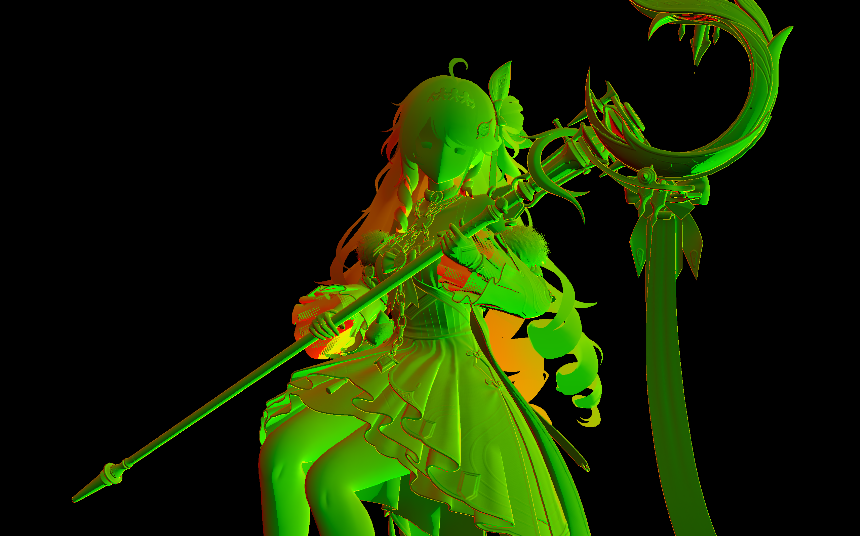
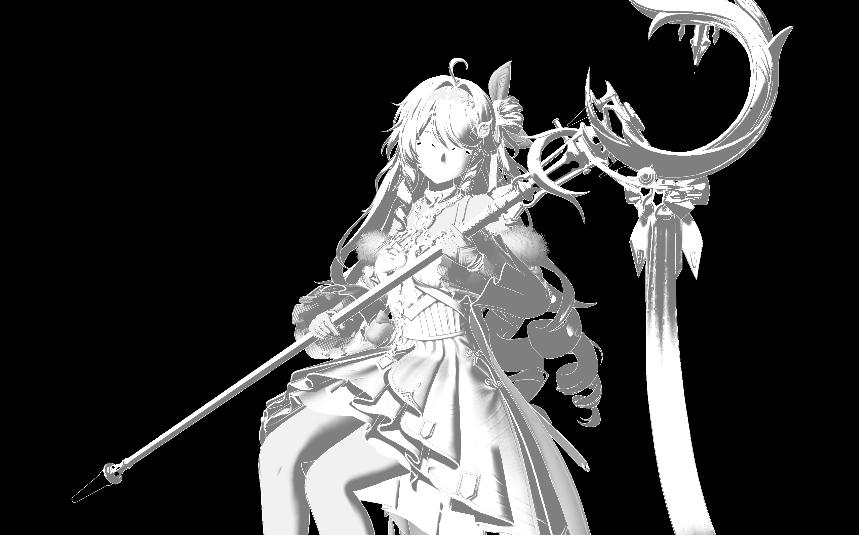
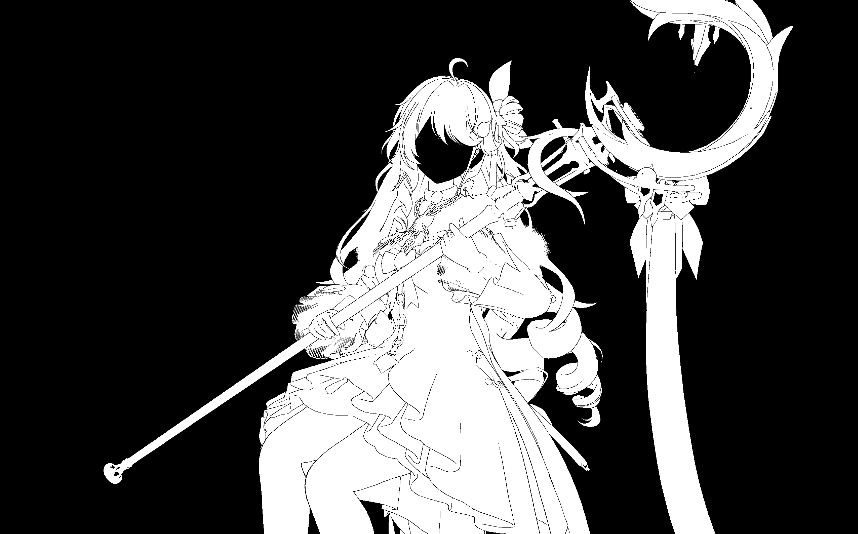
从lightingPass的最终RGB合成来看,一共可以分为三块RGB:MainRGB;ExtraRGB;SSSRGB
因此,后续讨论RT的时候,需要考虑其与哪个RGB项相关
RT1.rg
RT1.b
RT1.a
- RT1.rg: normal 显然和深度一样,是一项 base 数据
- RT1.b: ramp采样结果,阴影控制 仅仅与mainRGB有关
- RT1.a: 目测没什么用的channel
RT2.rgb
RT2.a_low4
RT2.a_high3
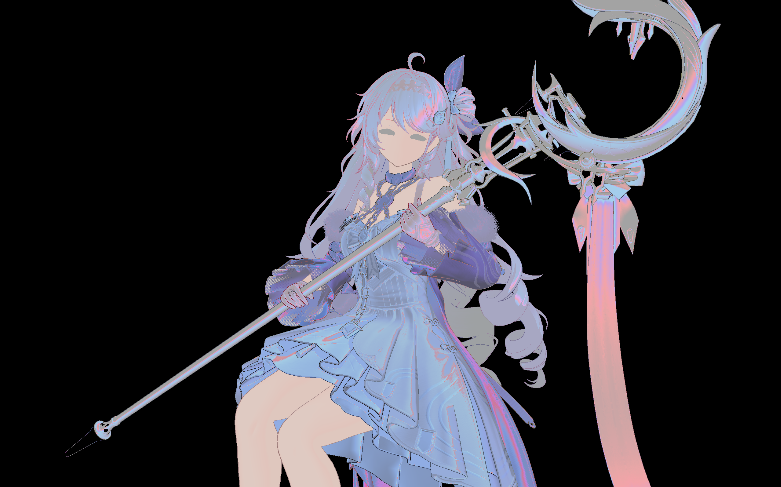
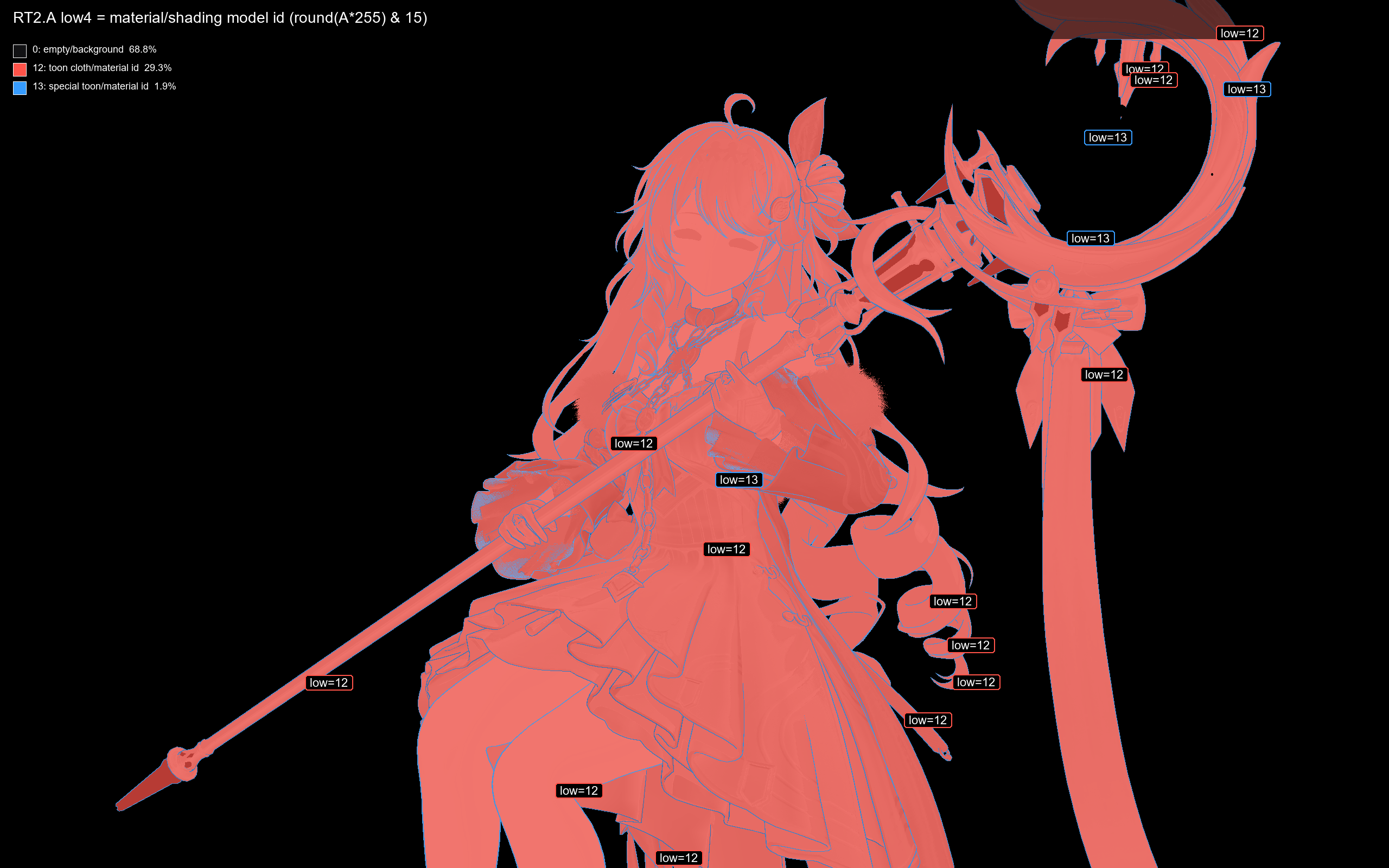
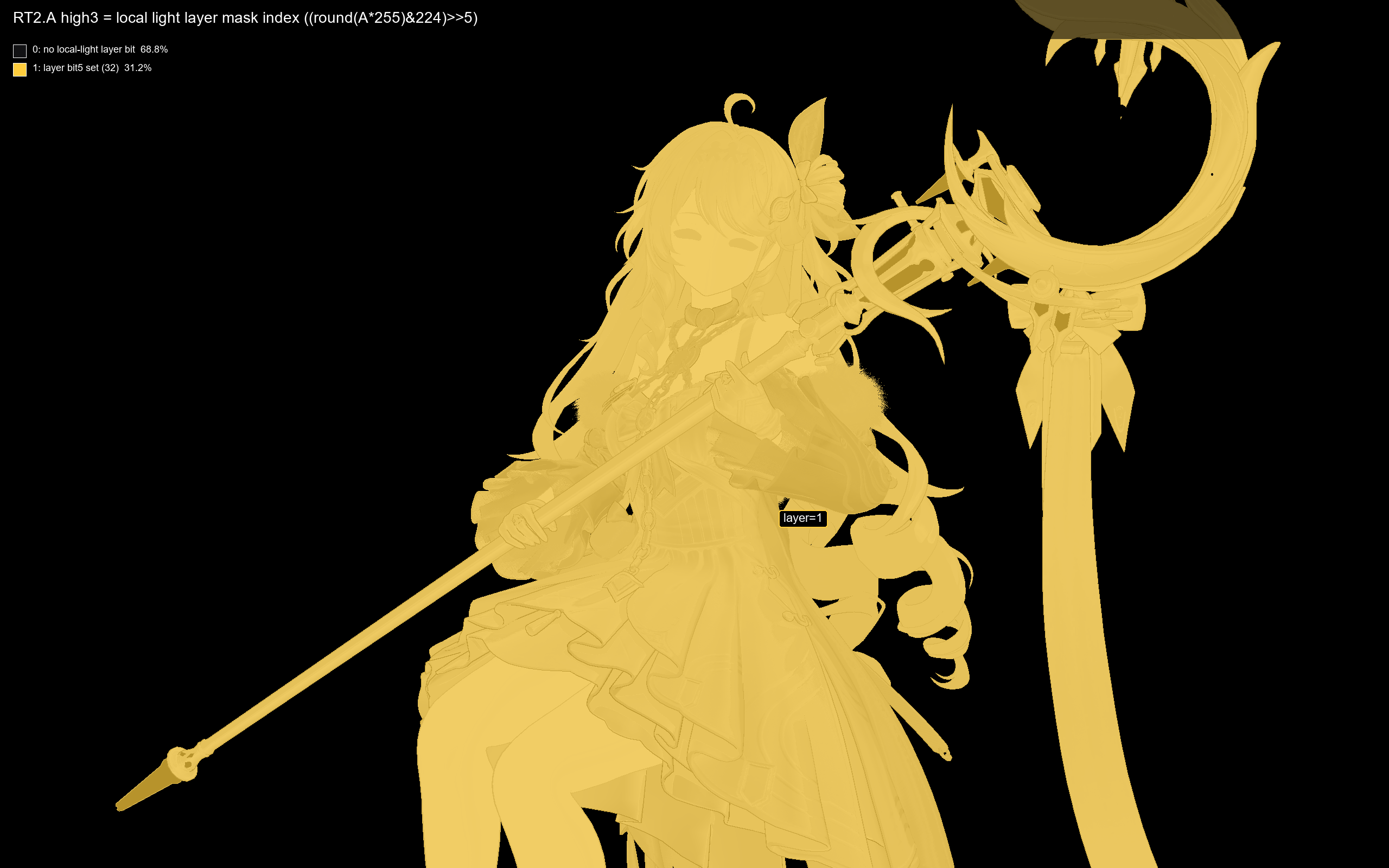
- RT2.rgb: 材质光照能量因子,只与mainRGB有关
// 写入RT2时,对线性能量空间开根号
RT2.rgb = sqrt(saturate(linearMaterialEnergy.rgb));

// 使用时,平方回去
materialEnergy = t2.rgb * t2.rgb;
baseLitColor ~= t3Diffuse * materialEnergy * toonBand;- RT2.a 单通道存两个值,作为两个mask
- RT2.a_low4 这里只有0 12 13三个值。12 = 正常材质; 13 = outline描边区域 这个值与mainRGB和sssRGB都有关,类似材质分支。但在当前sssRGB中,只有id = 5有特殊的sss分支,因此相当于没有
- RT2.a_high3 这里只有0/1,标记了角色区域(有点像stencil?) 这个值仅仅和extraRGB有关,用作mask
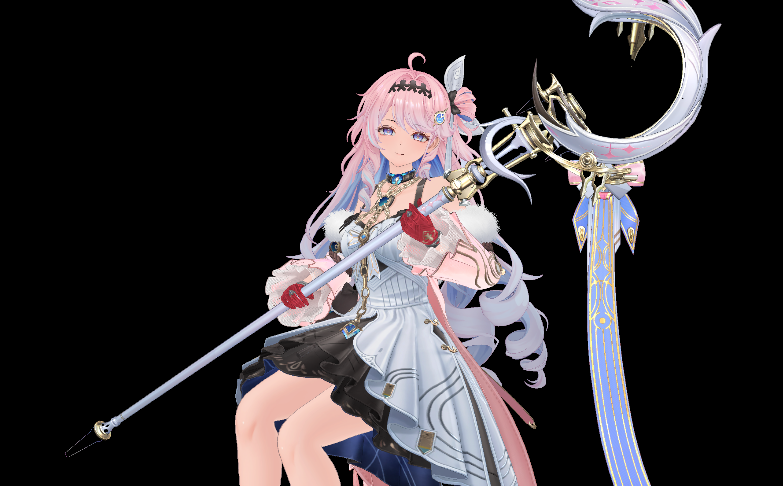
RT3.rgb
RT3.a
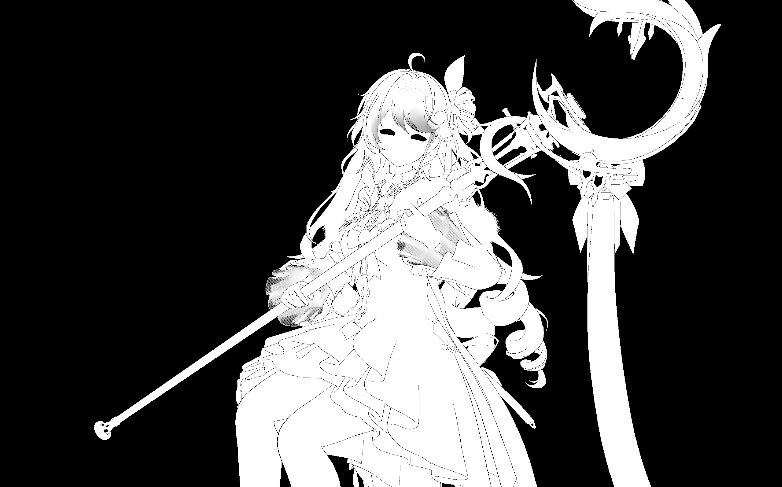
- RT3.rgb diffuse 当然和三项都有关,所有的RGB项本质上就是对diffuse的调色
- RT3.a 不参与实际lighting过程
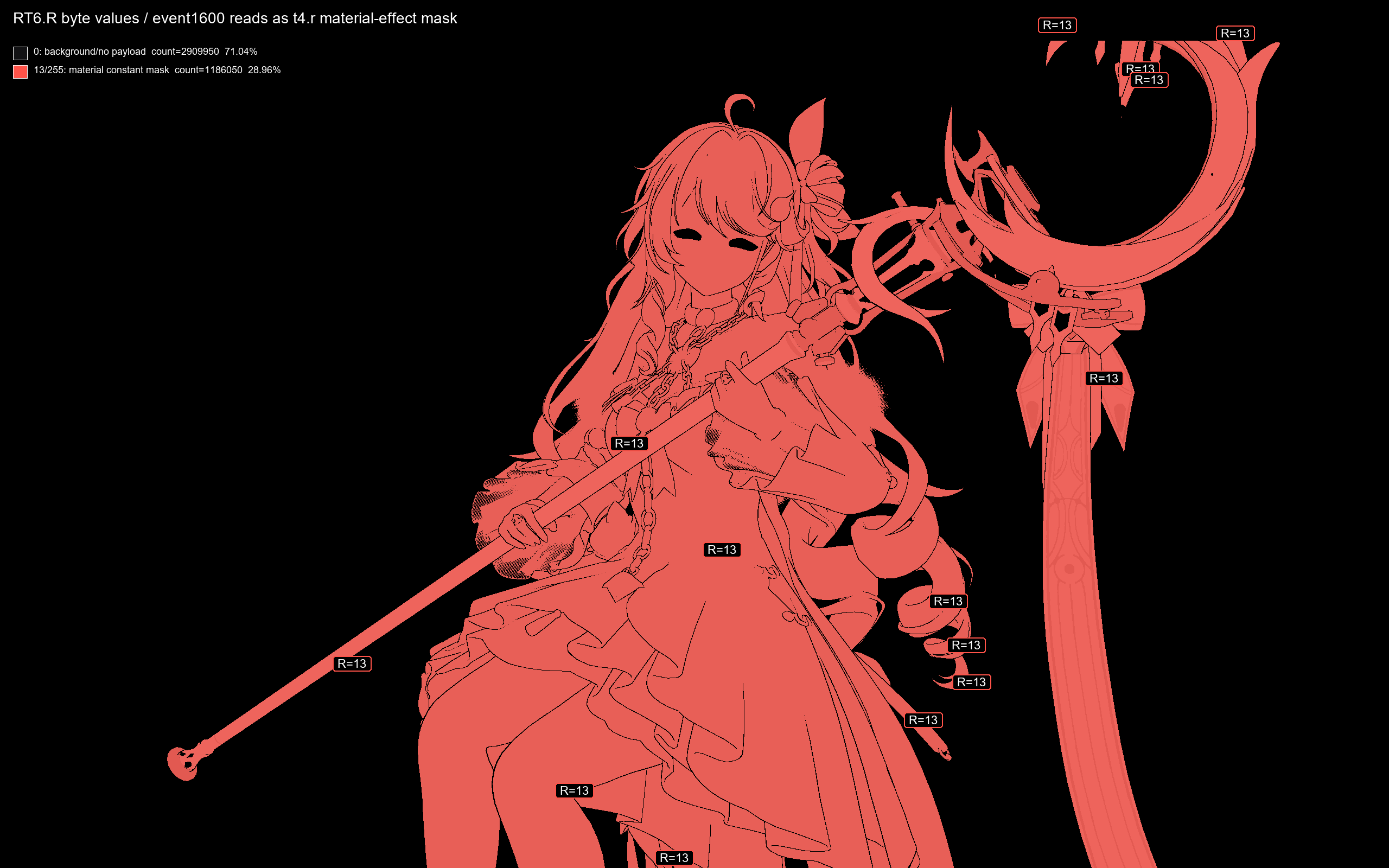
RT6.r
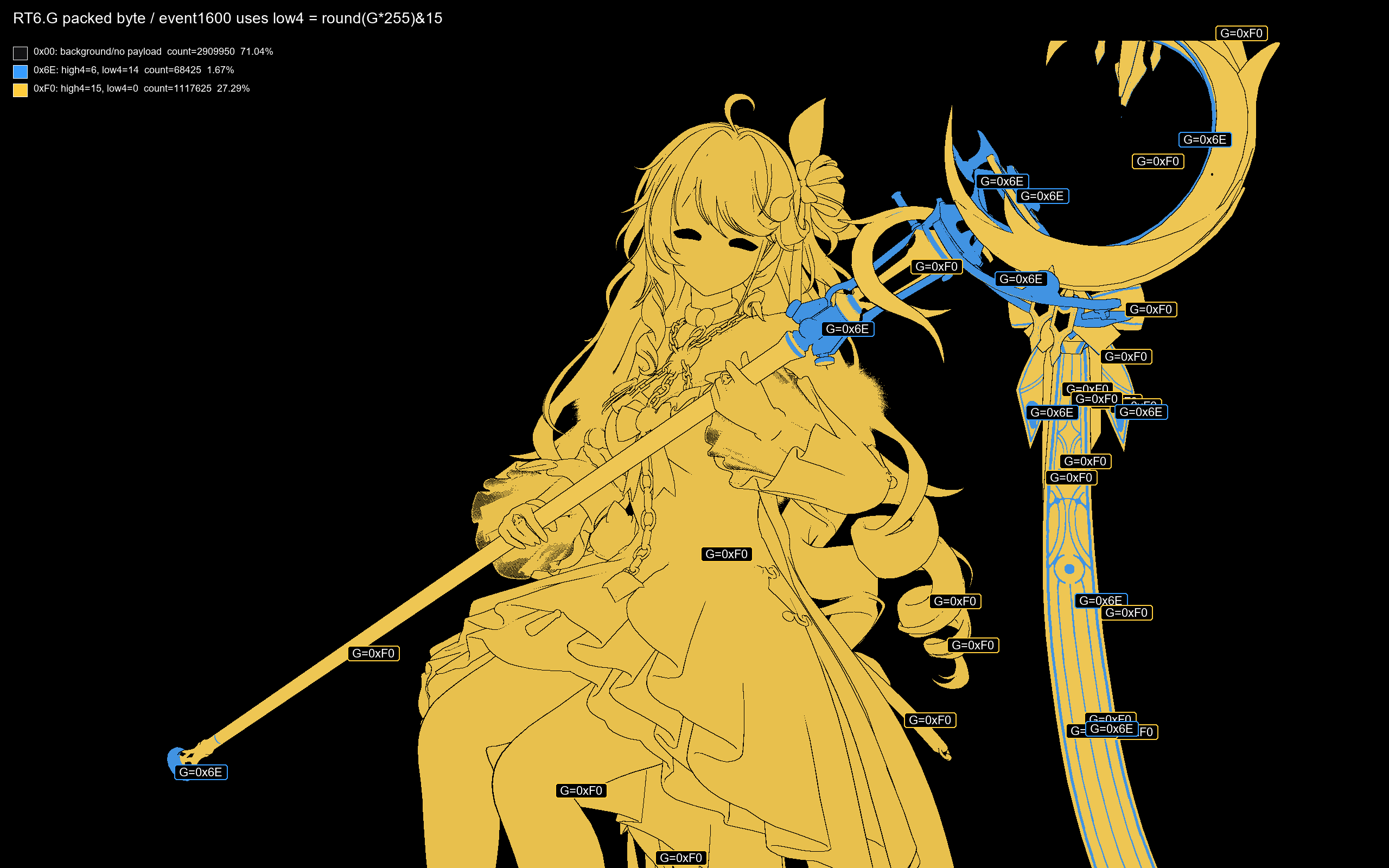
RT6.g
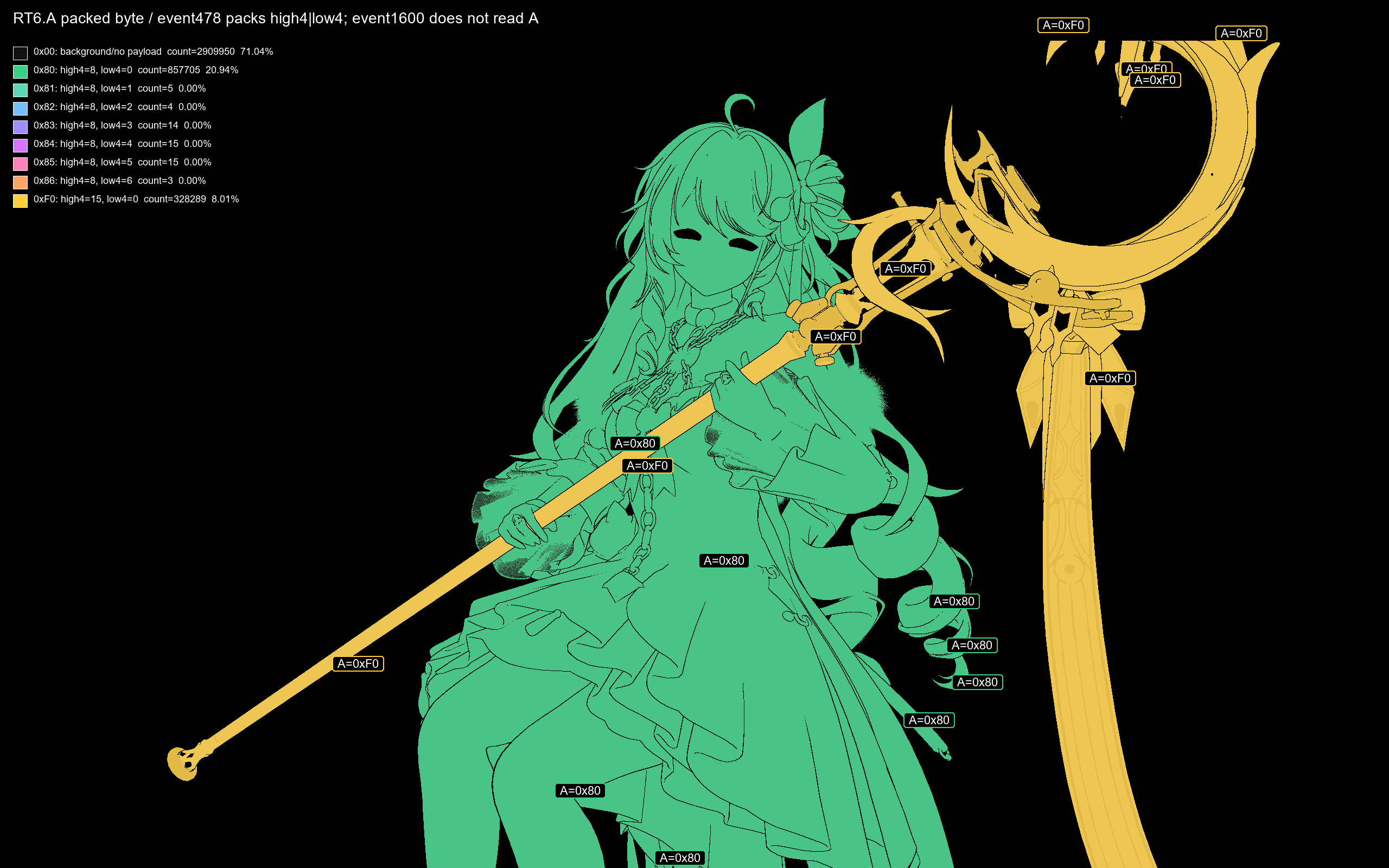
RT6.a
RT6 三张mask RT6.b没有被使用
- RT6.r 仅有0/13两个值(float 0.05098 = 13/255 )参与SSS(次表面散射)的计算过程 具体来说是作为材质属性,决定Part 1 uv offset的计算过程中的因子 sssMaterialStrength
- RT6.g 目前不参与lighting合成(分支在当前情况下不执行)
- RT6.b 疑似参与mainRGB中的一项,effectRGB的合成,猜测是VFX pass使用。当前截帧中全都写入0
- RT6.a 目前不参与lighting合成(没有找到相关逻辑)
次表面散射(Subsurface scattering)
SSS用于体现:光穿透薄的,有透明特征的物体时,在物体内部散射的视觉效果。如皮肤的红润,透光
SSS相关gbuffer:RT6.r 材质 ;RT3.rgb diffuse ;RT1.rg 法线;RT2.a_low4 材质;两张深度贴图
在Wuwa NPR中,使用近似实现:通过寻找object的“边缘”,来确定SSS调制强度
这个过程可以被分为三个部分:确定要对比那个点的offset,算出深度差thickness项,以及与RGB进行合成,最终输出一个可以加到final color上的颜色分量
Part 1:uv offset
uvProbeOffset =
    screenDirection
  * sssMaterialStrength   // _1115, cloth 当前 0.203922
  * probeScale;           // _1216
这个因子代表着,待对比的 pixel 相对于当前 pixel 的 uv 偏移
screenDirection 采样自RT1.rg,并映射至屏幕空间,代表寻找的方向。
sssMaterialStrength 采样自RT6.r,并经过处理,为定值,代表材质属性
probeScale 是逐像素的强度变量,其语义:
薄材质 / 轮廓 / 逆光区域更容易透光;
正面、厚处、非边缘区域不应该明显透光。
这个值越大,说明这里属性上更容易透光,反映在shader中就是,offset变大了,找寻一个更远的pixel进行depth比较,自然更容易得到一个大的深度差,进而得到更强的SSS调制效果
probeScale =
    normalFacingTerm
  * grazingViewTerm
  * backLightViewTerm
  * distanceScale;
// float3 SSSDirection = cb1[4784].xyz;
// = float3(-0.7094065, -0.4967318, 0.5) 场景主光方向
normalFacingTerm = (dot(SSSDirection, N) + 1) * 0.00375 + 0.0075;
// 范围 0.0075 - 0.015它看当前法线 N 是否朝向预设的 SSS 方向。
语义是:
材质需要接收一定的正面光照才有SSS。SSS是 反射 + 透射,而不是物理直觉上只有透射就可以。因此在因子分离时,把反射项和透射项独立的拆解出来。
反射项希望光直射表面(这里SSSDirection,即表面朝向光的向量,与normal同向代表光源与物体受光面同侧,即光源直照)。
后面的第三项 backlightViewTerm 则更希望视线方向与光向量相反,即“背光”,强调透射。
第二项:
grazingViewTerm = saturate(0.8 - saturate(dot(V, N)));它看视线是不是掠射角。
dot(V, N) 高:你正对表面看,透光弱,probe 变小。
dot(V, N) 低:你斜着看边缘,透光强,probe 变大。
有效值:0 - 0.8
所以它强调轮廓边、布料边缘、薄片边缘。
第三项:
x = saturate((-0.5 - dot(SSSDirection, V)) * 2);
backLightViewTerm = x*x*(3 - 2*x) + 1;
它看视线方向和 SSS 方向的关系。
语义是:
当观察方向更接近“背光/穿透方向”时,提高 probe 强度。

有效值范围:1.0 ~ 2.0
第四项:
// rawdepth是从depth buffer中采样出的原始z,reverse-z 风格
// 这里通过变换,把深度放缩到10 - 无穷的空间,同时reverse,让深度值越大 = 越深
float viewDepth = 1.0 / (0.1 * rawDepth + 0.00000001);

float nearTerm =
    (50.0 - min(depth, 50.0)) * 0.02;

float farTerm =
    pow((3000.0 - min(depth, 3000.0)) / 3000.0, 8.0);

float distanceTerm =
    nearTerm - 1.0 + farTerm;

// 函数项随depth增大而减小,代表对远处项的压制

float distanceScaleParam =
    cb1[2128].x * 0.572958;
// = 0.7947066 * 0.572958
// = 0.4553335

float distanceScale =
    1.0 + distanceScaleParam * distanceTerm;
语义是:
距离修正,近处可以偏大一点,远处要压小,避免远处边缘透光过宽
rawDepth 0.05536 -> distanceScale ≈ 0.820
rawDepth 0.06278 -> distanceScale ≈ 0.838 有效值大概就是这个区间内
Part 2:thickness
float2 uvProbeOffset;

uvProbeOffset.x =
    screenDirection.x
  * sssMaterialStrength
  * probeScale;

uvProbeOffset.y =
   -screenDirection.y
  * sssMaterialStrength
  * probeScale
  * 0.5;

float2 offsetUV = screenUV + uvProbeOffset;
通过这样的search,找到了一个对应位置的pixel,就是当前对比深度的对象
// 采样和线性化
float offsetRawDepth =
    Texture2D6.Sample(sampler2, offsetUV).r;

float offsetViewDepth =
    1.0 / (0.1 * offsetRawDepth + 0.00000001);

float currentRawDepth =
    Texture2D0.SampleLevel(sampler0, screenUV, 0).r;

float currentViewDepth =
    1.0 / (0.1 * currentRawDepth + 0.00000001);

float depthDelta =
    max(offsetViewDepth - currentViewDepth, 0.0001);
这里有一个特殊的点:本体depth采样是在默认的深度贴图 D32S8 上采样的,但 search 点 depth 采样是在专门的一张线性深度贴图 R16 (gbuffer RT5) 上采样的。
float t =
    saturate((depthDelta - 0.0) / 50.0);

float thickness =
    t * t * (3.0 - 2.0 * t);
// 大概取值是这样
// depthDelta = 0  -> thickness = 0
// depthDelta = 25 -> thickness = 0.5
// depthDelta = 50 -> thickness = 1


float3 sssRGB =
    distanceFade
  * thickness
  * cb0[16].rgb
  * sssResponseRGB;
Part 3:sssResponseRGB
sssResponseRGB 代表一个SSS颜色基准值,计算流程如下
// 1. shader 先处理 cb1[4768].rgb,先做一个“降低饱和度”的版本
float3 sssColor = float3(2.6, 3.45464, 4.0);

float luma =
    dot(sssColor, float3(0.3, 0.59, 0.11));
// = 2.6*0.3 + 3.45464*0.59 + 4.0*0.11
// ≈ 3.25824

float3 desaturatedSssColor =
    luma + (sssColor - luma) * 0.75;

// 约等于:
desaturatedSssColor ≈ float3(2.76456, 3.40524, 3.81456);

// 2. 用 screenMask = _451 把两个版本的值做插值
// 考虑到这里t5是全白,这里screen mask恒为2
screenMask = (t5.r * t5.b) * (t5.r * t5.b) * 2.0;

// screenSssColor = 2 * sssColor - desatSssColor;
// 这个就是 SSS 基础 rgb 颜色,后面是算系数
float3 screenSssColor =
    lerp(desaturatedSssColor, sssColor, screenMask);

// 3. SSS反射项 normalLightResponse
// float3 SSSDirection = float3(-0.7094065, -0.4967318, 0.5);
// dot(S,N) <= -0.2 -> 0
// dot(S,N) = -0.1 -> 0.5
// dot(S,N) >= 0   -> 1
// 从之前的判断中,这一项代表法线是否偏离了光照方向,0-1代表正常面向,-0.2-0代表可接受的偏移和平滑,小于-0.2就直接压成0
normalLightResponse = smoothstep(-0.2, 0.0, dot(SSSDirection, N));

// 4. 一个经验拟合的高光分布函数 specViewTerm
// NoH = 0   -> specViewTerm ≈ 0.0955
// NoH = 0.5 -> specViewTerm ≈ 0.129
// NoH = 1   -> specViewTerm ≈ 2.387
// 作用:半角方向接近法线时增强
float3 H =
    normalize(V + SSSDirection);

float NoH =
    saturate(dot(N, H));

float NoH2 =
    NoH * NoH;

float specViewTerm =
    0.3 /
    (
        (3.14159 - NoH2 * 2.51327)
      * (1.0 - NoH2 * 0.8)
    );

// 5. 背光/侧逆光观察项
float VoL =
    dot(SSSDirection, V);

// 6. 得到 SSS 方向响应强度 _1237
float sssDirectionalResponse =
    (
        ((normalLightResponse * 0.32 + 0.08) * (1.0 - VoL))
      + (normalLightResponse * screenMask * specViewTerm)
    )
  * (screenMask * 0.5 + 0.5);
第一项:
(normalLightResponse * 0.32 + 0.08) * (1 – VoL)
- 提供基础透光响应
- 即使 normalLightResponse = 0,也还有 0.08 的底值
- 背光时 viewDotLight 更小,1-viewDotLight 更大
第二项:
normalLightResponse * screenMask * specViewTerm
- 高光项
- NoH 越高(直射),越强
// 7. 得到基础 SSS 彩色响应
float3 sssBaseColor =
    screenSssColor * sssDirectionalResponse;

// 8. 两套材质响应
// 这里的materialRGB直接就是RT3 diffuse的采样值,这里没有特殊效果存在
float3 responseA =
    (materialRGB + 1.0) * 0.1 * sssBaseColor;

float3 darkBoostMask =
    saturate(1.0 - materialRGB * 1.2);

float3 darkBoost =
    1.0
  + darkBoostMask * darkBoostMask * 14.0 * (3.0 - 2.0 * darkBoostMask);

float3 responseB =
    materialRGB * 0.1 * sssBaseColor * darkBoost;

// 最后在两者之间插值,其实是选择了B
float responseBlend = cb1[4720].z;
// 当前 = 1.0

float3 sssResponseRGB =
    lerp(responseA, responseB, responseBlend);

// 当前 responseBlend = 1,所以我们的目标值:
sssResponseRGB = responseB;后续这个sssResponseRGB,与之前采样depth得到的thickness一起,组成了sssRGB
后续合成:sssRGB 与 lightpass 输出
这个sssRGB是直接加到basecolor上面的,也就是说,lightpass的输出结果一共有三块:
MainRGB
主材质光照结果:材质颜色、主光/阴影、toon/spec/material response 等前面已经混好的主体颜色。
ExtraRGB
来自一个 light/volume 循环,读取 cbuffer3 里的多组 light 参数,按距离、方向、衰减、mask 累加。更像局部补光 / 附加光照 / 特殊影响体积。
sssRGB
来源是前面分析的 SSS:thickness * distanceFade * cb0[16].rgb * sssResponseRGB
MainRGB
mainRGB为主要材质颜色项
mainRGB相关gbuffer(深度法线就不提了):
RT1.b ramp; RT2.rgb light; RT2.a_low4 matid ;RT3.rgb diffuse
MainRGB 详细计算代码
float smoothstep01(float x)
{
    x = saturate(x);
    return x * x * (3.0 - 2.0 * x);
}


// ------------------------------
// 1. depth -> linearViewDepth
// ------------------------------

// 在当前raw depth 0.05 - 0.06时,linearViewDepth 约为 160 - 180
linearViewDepth = 1 / (0.1 * rawDepth + 0.00000001)


// ------------------------------
// 3. distanceBlend
// ------------------------------

// cb1_4816.x = 0,所以 max 后用 0.001。
// cb1_4816.y = 1
// 因此只要 linearViewDepth > 0.001,distanceBlend 就会饱和到 1。
// 约等于 distanceBlend = saturate(linearViewDepth / 0.001);
// 也就是恒等于1(线性深度基本没有小于0.001的)
float distanceBlend =
    pow(
        saturate(linearViewDepth / max(cb1_4816.x, 0.001)),
        cb1_4816.y
    );

// ------------------------------
// 4. Main material 输入
// ------------------------------

// 当前 cb1[4576].y = 0,不走额外 t9 调制,materialRGB 直接来自 RT3.rgb。
float3 materialRGB = RT3_rgb;

// RT2.rgb 这里平方,实际上是写入的时候开方了,保存暗部细节
float3 rt2Color = RT2.rgb * RT2.rgb;


// ------------------------------
// 5. toon tint / base response
// ------------------------------

float3 tintA_near = float3(0.500000, 0.500000, 0.500000); // cb1[4848].rgb
float3 tintA_far  = float3(0.300000, 0.405086, 0.500000); // cb1[4736].rgb

float3 tintB_near = float3(1.0, 1.0, 1.0); // cb1[4832].rgb
float3 tintB_far  = float3(1.0, 1.0, 1.0); // cb1[4752].rgb

float3 tintA = lerp(tintA_near, tintA_far, distanceBlend);
float3 tintB = lerp(tintB_near, tintB_far, distanceBlend);

// blend 为 1
// 因此tintA和tintB都取far

// RT1.b ramp shadow mask。
// 提供平滑,且二值化的阴影结果
float rt1ShadowMask = RT1.b;

float baseResponse =
    0.7 + 0.3 * smoothstep01(saturate(rt1ShadowMask * 2.0));

// 下界是(0.3,0.4,0.5) 乘上 baseResponse(一个0.7到1的平滑值,这个值越小说明越接近shadow)
float3 baseLow =
    tintA * materialRGB * baseResponse;

// 上界就是diffuse自己
float3 baseHigh =
    tintB * materialRGB;


// ------------------------------
// 6. screenMask / shadowRamp / shadowMix
// ------------------------------

//
// 当前 cb1[4528].z = 1。
// 如果 t5 为全白,则 screenMask = 1。
float screenMask =
    (t5.r * t5.b) * (t5.r * t5.b) * cb1_4528.z;

// 过渡区 mask:同时要求 RT1.b 进入较亮区,并且 tintA/tintB 有明显差异。
float rt1HighMask =
    smoothstep01(saturate((rt1ShadowMask - 0.5) * 2.0));

// tintDifference 此处显然为1 tintA和tintB都是已知的,就相当一个mask
float tintDifference =
    saturate(dot(abs(tintB - tintA), float3(0.3, 0.59, 0.11)) * 10.0);

float tintDifferenceMask =
    smoothstep01(tintDifference);

// 实际是把RT1.b的0 - 1范围中,0 - 0.5 的值全都压成0,0.5 到 1 的值平滑后放到 0 - 1的范围内
// 目的显然是二值化阴影:小于 0.5 的一律的视为阴影区,在 0.5 这条边形成明显的分割线
float transitionMask =
    rt1HighMask * tintDifferenceMask;

// cb1[4800] = float4(0, 0.1, 1, 0)
float rampMin   = cb1_4800.x; // 0.0
float rampMax   = cb1_4800.y; // 0.1
float screenRampBlend = cb1_4800.z; // 1.0

float rampRange = rampMax - rampMin;

// screenMask = 1,rampRange = 0.1
// screenRampU = 1
float screenRampU =
    saturate((screenMask - rampMin) / rampRange);

float shapedScreen =
    smoothstep01(screenRampU) * transitionMask;

// 当前 screenRampBlend = 1,所以 shadowRamp = screenMask = 1
float shadowRamp =
    lerp(shapedScreen, screenMask, screenRampBlend);

// shadowRampU = 1
float shadowRampU =
    saturate((shadowRamp - rampMin) / rampRange);

float shapedShadow =
    smoothstep01(shadowRampU) * transitionMask;

// 当前 screenRampBlend = 1,所以 shadowMix = transitionMask
float shadowMix =
    lerp(shapedShadow, transitionMask, screenRampBlend);


// ------------------------------
// 7. detailRGB / effectRGB
// ------------------------------

// cb1[4720].x = 1.0
float detailIntensity = cb1_4720.x;

// cb1[4720].y = 0.65
// 当前如果 shadowRamp = 1,则 colorBlend = 1。
float colorBlend =
    1.0 + (shadowRamp - 1.0) * cb1_4720.y;

// midTint = 0.5 * tintB = (0.5, 0.5, 0.5)
float3 midTint =
    lerp(tintA * 0.2, tintB * 0.5, colorBlend);

// detailRGB:RT3 diffuse 被 RT2.rgb² 进一步调制后的材质细节项。
// 0.5 * ramp * diffuse
float3 detailRGB =
    materialRGB * rt2Color * detailIntensity * midTint;

// RT6.b 猜测是VFX mask。
// 越高,detailRGB 被放大成更强的 effect 项。
// 但当前frame中,这个值默认写入全0,不启用这个feature
float materialEffectMask = RT6_rgb.b;

float3 effectRGB =
    detailRGB * (materialEffectMask * 10.0 * shadowRamp);


// ------------------------------
// 8. Main material compose
// ------------------------------

float3 mainA =
    baseLow
  + detailRGB
  + 0.4 * shadowMix * (baseHigh - baseLow);

float3 mainB =
    baseLow
  + detailRGB
  + effectRGB
  + shadowMix * (baseHigh - (baseLow + detailRGB + effectRGB));

// colorBlend = 1,选B
float3 mainMaterialRGB =
    lerp(mainA, mainB, colorBlend);


// ------------------------------
// 9. extra light loop 对 MainRGB 的影响
// ------------------------------

// DXIL 里 mainLightRemainWeight 来自 cbuffer2 控制的 light/volume loop。
// 当前 cbuffer2[2304].x = 0,循环不执行:
// extraRGB = 0
// mainLightRemainWeight = 1
float3 extraRGB = float3(0.0, 0.0, 0.0);
float mainLightRemainWeight = 1.0;

float3 MainRGB =
    mainLightRemainWeight * mainMaterialRGB;

// 当前事件下等价于:
MainRGB = mainMaterialRGB;
最终整理一下MainRGB在当前这种情境下的简化计算逻辑(分项拆分)
- baseLow:(0.3,0.4,0.5) 乘上 把RT1.b 的 0 – 0.5 部分放到0.7 – 1.0的一个因子。再乘diffuse
最暗的区域,RT1.b = 0 baseLow = (0.21,0.28,0.35)
最亮的暗区及亮区,即RT1.b >= 0.5 时, baseLow = (0.3,0.4,0.5)
语义:反映暗部的阴影细节,让阴影部分不要都是一样黑
- detailRGB:0.5 * ramp * diffuse
语义:代表ramp bake光照对diffuse的影响
- effectRGB 当前恒为 0, 先不考虑
- shadowMix * (baseHigh – (baseLow + detailRGB + effectRGB))
shadowMix是插值因子,实际是把 RT1.b 的 0 – 1范围中,0 – 0.5 的值全都压成0,0.5 到 1 的值平滑后放到 0 – 1的范围
语义:二值化阴影:小于 0.5 的一律的视为阴影区,在 0.5 这条边形成明显的分割线。
baseHigh 就是 diffuse 自己
从这个角度上看,就能知道detail项的0.5是怎么来的:实际是为了保证,baseLow + detailRGB,对diffuse的贡献因子不会超过1(baseLow就算选near也才0.5),也就是永远不会超过baseHigh
实际上,由于gbuffer RT1.b的计算逻辑最后的放缩,shadow值的范围本身就是0.5 到 1,与这里相对应
shadow = 0.5,取到下界(0.3,0.4,0.5)* diffuse + 0.5 * ramp * diffuse
shadow = 1 时,取到上界 diffuse
4. TAA
从 daniya 的 compute Pass #3中,可以识别到一个DOF景深合成的Dispatch,一个TAA Dispatch。DOF在角色展示界面没有使用,这里为空置,猜测可能在大世界场景,或者camera功能下启用。TODO
这里通过分析TAA的执行流程,学习一下这里的实现。
注意:TAA使用的motion vector来自于basePass RT4的rg通道
1. Dispatch WorkGroup SharedMemory
Dispatch(320, 200, 1) + [numthreads(8, 8, 1)]
从这里的设计来看,前两项通常是对应图像的width 和 height,乘起来正好是2560 * 1600 这也是很多compute的设置
对应shader内部的执行单元是 8*8(AMD 64 nvidia 32 的一个最小公倍数)
shared memory
这里对于 8*8 的workgroup,划分了 groupshared float Shared[400],用于两个用途
- 第一次:保存12×12深度Tile,也就是2像素边框:144 * float
- 第二次:保存10×10当前颜色Tile,1像素边框: 100 * 4 * float
加载12×12深度
↓ Barrier
所有线程使用深度
↓ Barrier
覆盖成10×10颜色
↓ Barrier
所有线程使用颜色
通过三次Group Barrier,保证执行顺序,同一块内存可以用来做两件事
2. depth
TAA过程为什么需要深度?还是含有2像素边框的深度?
TLDR:为了防止物体轮廓附近“当前像素为背景,但motion vector为人物运动”的情况,导致人物运动时轮廓拖影
具体做法:
- 1. 采样5次 (-2,-2) (+2,-2) (0,0) (-2,+2) (+2,+2) depth,对应2像素 depth 边框
- 2. 取最大值(reverse Z中,深度越大代表越靠近镜头,即越可能是人物而非背景)
- 3. 记录这个偏移值,用于采样motion vector
3. Current Color
TAA过程中,当前颜色tile的加载流程(注意是当前,而非历史,在使用shared memory)
线程分工:前64个每个 load 1像素,然后前36个额外load 一个 index+64 样本
YCoCg类颜色空间转换:
float Y  = R + 2*G + B;
float Co = 2*R - 2*B;
float Cg = -R + 2*G - B;
float InvLumaWeight =
    1.0 / (Y * Exposure + 4.0);
这样也是一个像素对应4个float,实际shared memory 存储的是这个,而不是RGBA
十字形读取:每个输出线程读取上下左右 + 本体一共5个位置的数据,用于clamp 历史帧,防止历史帧的像素与当前帧差距很大,应该被废弃的情况被混合进来。但是预滤波功能被常量配置关掉了,也就是说,当前十字采样中,最后仅保留中心像素为最后的颜色合成样本,其他不参与颜色合成。
4. History Color
History Color面对的问题:sample UV来自于motion vector重建,注定不是(0.5,0.5)这样的规整情况,因此需要多采样混合。这里仍然是用十字采样方案,采样5次。
特殊的是,这里不是双线性混合,而是Catmull-Rom 重建,每个样本的位置和权重都由三次插值系数决定,因此通常比普通双线性采样更清晰。
采样后,将历史 RGB 转为 YCoCg-like 空间,然后clamp
5. blend factor
history和current pixel在混合时的权重,会受到motion vector和两者颜色差异的影响
当前基础 currentWeight = 0.25; historyWeight = 0.75;
motionWeight =
    lerp(0.25, 0.20, saturate(motionLengthPixels * 0.025));

colorWeight =
    saturate(historyY * 0.01 /
             abs(currentY - historyY));

currentWeight = max(motionWeight, colorWeight);- Y是R + 2*G + B,代表亮度
- 运动达到约 40 像素时,
motionWeight从0.25降至0.20,动的越快,越倾向历史帧 - 亮度越接近,currentWeight越接近1,即不需要blend
最终blend权重也与亮度Y有关,通过降低过亮像素的权重,防止异常亮值
Wh = (1-currentWeight) / (historyY + 4);
Wc = currentWeight     / (currentY + 4);

result = (history*Wh + current*Wc) / (Wh+Wc);
5. MotionBlur
Compute Pass #3,紧接着TAA的,是一个用于运动模糊 Motion Blur的 Texture 准备。
分记录下来的R11G11B10格式为:(速度长度,编码方向,深度)
如图,角色部分的速度长度为0,编码方向为0.5(angle = 0),深度为线性化后的一个150-200左右的值
显然,在不动的情况下,当前是motionblur是没什么用的。
背景部分可能由于浮点数问题有波动,但不重要
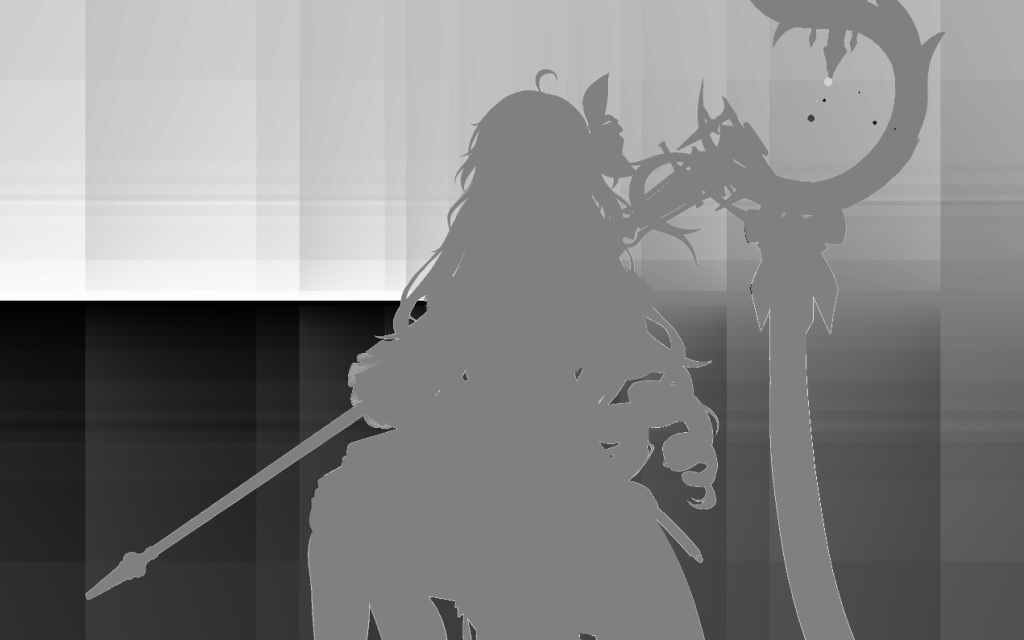
6. Bloom
首先原画幅 2560 * 1600 降采样到 640 400(L0)
L0亮度提取流程:
// 0.20	 0
// 0.35	 0
// 0.50	 0.65×0.15 = 0.0975
// 1.00	 0.65×0.65 = 0.4225
// 2.00	 0.65×1.65 = 1.0725
float3 bloomSeed = max(rgb - 0.35, 0.0) * 0.65;
注意:
- 原纹理是R11G11B10的HDR,因此rgb是可以大于1的(但实际上只有少量亮斑超过了1)
- 亮部提取使用了深度纹理,但这里距离factor实际被关掉了,因此形式化简得非常好看
然后连续降采样,生成对应的4级纹理集合: L0 640 400 | L1 320 200 | L2 160 100 | L3 80 50
对每层进行独立的高斯模糊,横向和纵向两次gaussian blur来cosplay 2D gaussian
L0 L1 用的是半径 8 texel的小核(sample = 9);L2用的是半径 15 texels的中核(sample = 16);L3用的是半径 19 texels(sample = 20) 的大核。具体数值和权重都是硬编码的常量。越低分辨率越用大核,让低频量扩散到更广得范围,模拟大范围的光晕。
最后0.3 L0 + 0.1 L1 + 0.2 L2 + 0.2 L3 叠加为一个640 480的纹理,降了一部分能量,和不为1
怎么加:对于640 400的texture的uv,直接对不同层的纹理采样得结果。对于低分辨率的图像,这里直接得到双线性插值的结果。
PS:这个流程中,用了多次ClearRenderTargetView来节省一定的内存
7. Final
8. Skeleton Vertex Motion vector
之前一直很好奇的点是,骨骼模型在shader层级的结构是怎样的。这次在追溯motion vector来源的时候,正好把这部分的结构整理一下。
1. 骨骼矩阵与顶点
首先:骨骼是model层级的概念,对于目前的face cloth weapon fur这些模型,各自具有从1(eye)到102(up)不等的bone数。
每根骨骼是一个 3×4 矩阵:3×3 保存旋转、缩放,最后一列保存平移;4×4 矩阵固定的最后一行 (0,0,0,1) 被省略。每根骨骼占 3×float4=48 B。shader 定义 float4[3][256],因此每个model最多有256根bones。
模型骨骼数具体数据
| 模型 | 唯一顶点 | 实际骨骼矩阵 |
|---|---|---|
| face01 | 3,004 | 21 |
| cloth | 22,444 | 95 |
| wand | 20,901 | 45 |
| eye1 | 396 | 1 |
| fur | 8,629 | 13 |
| down01 | 14,435 | 65 |
| face | 3,004 | 21 |
| bangs | 6,119 | 42 |
| hair01 | 12,131 | 30 |
| wand-baoshi | 905 | 4 |
| up01 | 13,089 | 102 |
并不是骨骼保存顶点,而是顶点保存“影响这个顶点的骨骼编号以及权重”。
每个顶点保存 bone index 和 bone weight:ATTRIBUTE3、ATTRIBUTE14 提供最多 8 个骨骼编号,ATTRIBUTE4、ATTRIBUTE15 提供对应的 8 个权重。
bone index 和 weight 来自 vertex buffer,不是 constant buffer;它们通常是固定的模型数据。每帧更新的是骨骼矩阵 palette。
2. 蒙皮
在处理一个顶点的时候,我们需要通过MVP变换,把模型顶点位置变换到投影空间。而骨骼矩阵的影响在这之前,相当于直接改变了model的形状,具体公式如下:
SkinnedPosition =
    weight0 * Transform(Bones[index0], localPosition) +
    weight1 * Transform(Bones[index1], localPosition) + ...;
这是 Linear Blend Skinning。得到当前蒙皮位置然后加入模型、相机和投影变换:
currentClip  = CurrentViewProjection
             * CurrentLocalToWorld * SkinnedPosition;

SV_Position       = currentClip;

// 齐次空间归一化在PS中完成
currentNDC  = currentClip.xy / currentClip.w;
3. Motion Vector
从上面的描述,可以看出,顶点的位置实际来源于
- 一组骨骼变换矩阵,上限float4[3][256]
- VP变换矩阵,和Model矩阵
因此,Motion Vector作为代表“前后两帧之间,某个对应像素的移动趋势”的值,考虑到PS中的一个像素,来自于VS中的顶点位置插值,因此实际需要存储的历史值,也就是上面这些。Motion Vector的计算公式如下:
currentClip  = CurrentViewProjection
             * CurrentLocalToWorld * SkinnedPosition;
previousClip = PreviousViewProjection
             * PreviousLocalToWorld * PreviousSkinnedPosition;

SV_Position       = currentClip;
VELOCITY_PREV_POS = previousClip;

currentNDC  = currentClip.xy / currentClip.w;
previousNDC = previousClip.xy / previousClip.w;
motionVector = currentNDC - previousNDC;
特殊情况:布料、头发等 WPO 动画还必须使用上一帧的风或材质参数 TODO
9. 美术效果分析
之前的逆向工作有点让人迷失在具体的程序逻辑中,接下来从美术效果的角度分析
1. Hair
鸣潮的Hair是高度美术定制化的,大量的信息来自于烘焙的Ramp图(Hair_HR)。相对于Cloth来说,hair本身是没有_FTM(hair对应的该图基本没有信息),没有metallic和roughness,高光完全来自于美术上的控制和设计。
1. 三个 Layer
这里的 Layer 可以理解为一个“响应图层”:它接收上一层颜色 ,再通过不同的 Blend 模式叠加当前 Hair Response。
其中:
所谓 Blend(混合),本质上是规定“当前响应如何与已有颜色组合”。这里包含三种模式:
- Multiply:。用于对已有颜色进行乘法调制,可产生压暗、增强或局部响应。
- Add:。直接叠加响应,增强最强,但也最容易超过正常颜色范围。
- Screen:。同样用于提亮,但相比 Add 更柔和、不易过曝,常用于高光或发亮效果。
参数 决定当前 Layer 采用 Multiply 分支还是高光叠加分支; 则在 Screen 与 Add 之间切换。
对于当前捕获的 Hair01,t = 1,因此这里只存在Add
而另一个参数 h,来自于 Ramp 参数 是否大于 0.5。这里是逐通道的mask,也就是说,完全有可能在同一个地方的RGB通道,却分别使用Add和Multiply两种不同的策略
- 如果大于 0.5,那么取1,也就是Add。由于人对亮部通常不敏感,直接加就没问题。
- 如果小于 0.5,那就是Multiply,表示对暗部的细节控制。
Hair 总共有三个顺序执行的 Layer:
最终:
三个 Layer 使用 Hair_HR(五行 Ramp图) 的不同横带,因此是三个独立参数化的 Hair Response Band
同时第四条横带:
与 Hair_HM 一起控制各 Band 的有效区域:
随后生成:
从输入的纹理角度来看,可以得到 _HM 和 _HR 的语义
- _HM是一个0/1 mask,负责控制那些部分不受到当前图层的影响
- _HR是同时代表了颜色和明暗的Ramp图,控制调色强度M(明暗),同时控制叠加颜色B
从Layer公式具体的每一项来看
- mi:由HM决定是否应用,由Hc表示视角动态
- Hc:高光的各向异性,一个随视角变化的项,体现动态颜色变化的实现方案。TODO:这个地方后续最好可以在模型上确定一下具体的影响情况
- Ti:每一个 Layer 的 Tint / Color,对应具体的响应颜色。在Hair的情景下,只有Layer 0 的 Tint 是带颜色的,通常表示一种染色。而Layer 1/2 的 Tint都是(1,1,1),只影响明暗。
注意Layer0和Layer1/2是很不一样的,其是唯一有颜色T,和动态控制s的图层(s0 = 0.3 + 0.2 * p,s1 = s2 = 1)上:
p:Band 0 的动态强度控制。feature对应头发的高光带,整体上是个近似matcap的方法。
它由 _D.a 区域遮罩、Hair_HM.g 的位置偏移,以及经过角色中心稳定、光源形状修正(比如点光源需要修正)和顶点方向引导后的卡通受光方向共同决定:
- _D.a:经过区间映射生成
alphaBandMask,限定 Band 0 动态增强允许出现的区域。它控制的是方向光带在哪些材质区域生效。 - Hair_HM.g:生成一个非线性的
offset,用于移动方向响应带的位置,使不同头发区域具有不同的光带偏移。 - Nresponse · Ltoon:表示当前像素对定制卡通光照方向的响应。
L_toon不是普通的逐像素光源方向,而是经过角色中心锚定、光源形状修正和顶点方向场引导后的稳定受光方向。
_D.a 首先生成区域遮罩(注意这里先对_D乘了2, 实际_D.a的取值范围是0或者0.36,以及中间一些细微部分的过渡值,也就是说,黑色的就是暗部,没有高光项影响。灰色是亮部,alphaBandMask = 1,有高光项影响):
Hair_HM.g 控制方向带的位置偏移:
方向响应使用定制后的 Toon 光照方向:
其中普通逐像素光源方向为:
角色中心锚定后的方向为:
随后根据光源形状进行修正
这里是1,取Lactor, 代表hair对稳定方向光照,而不是逐像素光照的要求。设想点光源的情况,如果使用逐像素光方向,那么头发上的高光形状将会非常的不稳定,因此均使用指向角色中心的光方向,来规范化
最后再由顶点方向场进行引导:
这里这一项被关掉了,Weight为0,不受方向场引导
得到 NdotL_toon 后,将它压缩为一条很窄的卡通方向光带:
再使用 Smoothstep 形状函数:
最终,p 只用于调节 Band 0 的 Add 分支强度:
因此,p 并不是一层新的独立高光,而是一条定制 Toon N·L 方向光带的动态强度控制。Hair_HR/HM 决定 Band 0 的基础形状、颜色和允许出现的位置,而 L_toon 决定当前光照方向下 Band 0 的正向颜色响应需要增强多少。
其核心目的可以概括为:让头发响应跟随光源变化,同时抑制普通逐像素点光方向造成的光带弯曲、发散和碎裂,并允许不同发束通过顶点方向场形成经过美术设计的光带流向。
2. MaterialResponse之后
三个Layer之后,我们得到了MaterialResponse。高光带,方向响应等都涵盖在这一项中了,它再经过一个gain和desaturation修正(在hair里面这两个修正不产生实际效果),就是RT3.rgb了。
但是阴影并不包含在这一项中,它由RT1.b这个channel控制,详细来源参考之前对cloth的分析
MainRGB 来自 MaterialResponse 和 RT1.b,表示基础颜色,虽然有高光,主要代表明暗的区分
detailRGB 来自 MaterialResponse 和 RT2.rgb,表示接收光照的细节响应,本质上是采样的Ramp图
这两个值加和就是directLighting,在目前角色页面没有GI,先不管。
最后directLighting还要加上一个SSS项(同样参考前面的实现),薄发片、发梢和逆光区域补充透亮边缘。
然后整体再除以一个曝光项exposure(这里exposure来自一个纹理采样值,只有一个像素,就是1),就是最终的形态
2. Face
face独特的地方,在于使用SDF的方式控制面部Ramp采样
关键结论是:Face 并不存在 Hair 那样三个同构的方向响应 Layer。 当前 event466 的活动路径可以严格化简成两个颜色层,加一个输出整形层。
Layer 0:基础颜色
Q0 = Face01_D.rgb这就是未经处理的面部 Albedo。
Layer 1:皮肤区域染色
SkinColor=(0.958333, 0.938201, 0.889885)
Q1 = Q0 * mix(1, SkinColor.rgb, isRegion0)
因此:
ID=0:底色乘皮肤 Tint;ID=1...5:保持_D.rgb。
Face Ramp 不是直接由法线采样,而是由角色 Face 方向场、Face SDF 和 _D.a 共同控制。
FaceLight2D = RampLightDir * FaceDirF.y决定是否镜像 SDF:F.y<0, 则1-uv.x; F.y>0, 则直接取uv
用uv_sdf, 采样SDF.b,这个值影响后续的shape
shape =
    FaceSDF.b <= epsilon
    ? 1
    : 1 - pow(FaceSDF.b, 1.5)
Face01_D.a 是0或者0.4,也就说A就是0或1,大部分的时候取1,也就是upper;少部分取0,大概率是0.2:
A = saturate((Face01_D.a - 0.045) / 0.01)最后的RampU由F.x和shape和A决定,而 RampV 恒等于0.1,即取第一行
upper = saturate(
    0.75
    - 0.25 * FaceLight2D.x
    - 0.5 * shape
)

lower = min(upper, 0.2)

RampU = mix(lower, upper, A)
Layer 2:皮肤 Ramp 替换
对于skin部分,把base albedo稍微往Ramp色压一点
Q2 = mix(
    Q1,
    RampColor,
    isRegion0 * 0.055
)
Layer 3:输出整形
这里最后有一个Desaturation,但当前:Desaturation=0
MaterialResponse_Face = saturate(Q2)总结一下:不是skin的直接取base albedo;是skin的,受SDF.b,FaceDir, LightDir, Face01_D.a这几项影响光照强度,给出一个Ramp色,但只是轻微作用于basecolor,让基色靠近一点Ramp Color
3. Body
Body由于其带有衣物,因此为了做出更丰富的细节,相较于Face和Hair使用顶点法线,Body使用的是法线贴图。这也是Body 的 RT1.rg和另外两者的区别
此外,Body Hair Face的阴影控制项,即RT1.b差的很多。后续会详细展开三种阴影控制的区别,概括一下就是
| 材质 | RT1.b 的主要阴影依据 |
|---|---|
| Body | 法线贴图的细节法线与艺术主光,视角偏移 |
| Hair | 顶点法线、艺术主光、Hair Mask |
| Face | 不用法线,角色脸部二维方向和 Face SDF |
RT2.rgb自然也差很多:
| 信号 | Body | Hair | Face |
|---|---|---|---|
| Lighting Normal | 法线贴图的细节法线 | 顶点法线 | 顶点法线 |
| Shadow Control | N·L、视角、D.a、区域宽度 | 顶点 N·L、D.a、Hair Mask | Face SDF、脸部二维光向、二维视向 |
| Ramp U | 法线、光线、视角、Solid Mask | Hair Shadow Window | FaceSDF.b、FaceLight2D.x、D.a |
| Ramp V | Body 区域 Ramp ID | Hair 固定/专用行 | Face 区域 Ramp ID |
| Ramp Base | Body Subsurface 参数 | ExtraShadowColor/头发参数 | SkinSubsurface 或 Subsurface |
| Lighting 消费 | event1600 ID12 | event1600 ID12 | event1600 ID12 |
请问,作者还记得Cloth_N.b是什么作用吗,然后FTM.b一直以为是角色战损的效果来着原来是这个作用>﹏<
1. 这个角色Cloth_N.b是全0的,我就先没管。不过我查了一下其他角色,在比较新的角色,像aimisi,lucy,daniya中是没有这个通道信息的;但在feibi,katixiya这两个角色上是有的。怀疑是中间改过shader。
2. 你说的可能是对的,因为这个场景下这个feature是关掉的,我还真不知道它用于哪个具体的feature。你有体现这个feature的截帧证据吗?
嗯确实,鸣潮3.0以后的角色改了渲染逻辑,贴图逻辑也改了,我手上有的一些3.0以后的角色(除了一个角色莫宁,有一些遮罩,看起来存的是特效?我没有她的截帧文件)的N.b数值都是0了,然后FTM.b我现在觉得你说的也是对的,战损效果衣服有破洞,用原有细节法线效果肯定是不对的,不过我没有截帧文件,我目前还在研究怎么截帧,所以都是我的猜测(